
Binance Convert: Fees, Spot Differences and 3 Modes Explained (2026)
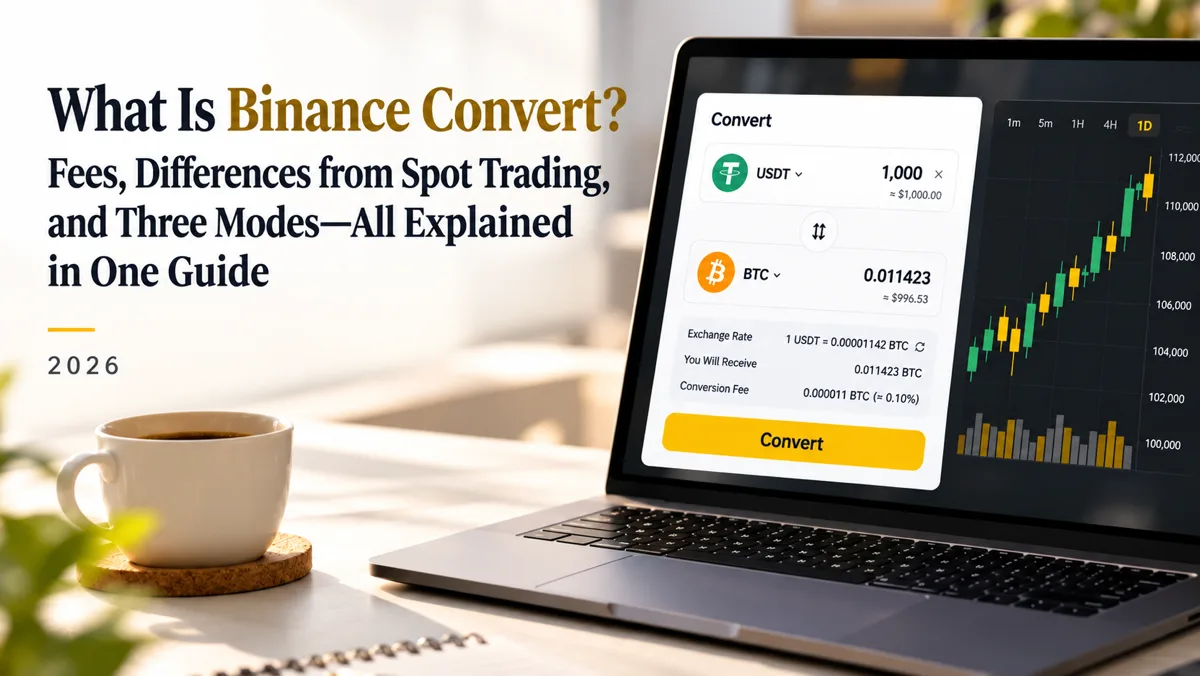
Table of contents

Binance new user rewards
20% trading fee rebate
Official Binance registration. Complete identity verification (KYC) to trade and withdraw.
Binance Convert is a one-click swap feature. For example, if you hold USDT and want BTC, you just pick the assets, enter the amount, review the quote and confirm — no need to place orders on the spot market yourself.
The question most beginners ask: does Binance Convert really charge zero fees, and is it cheaper than spot trading?
The answer: Binance Convert does not charge a separate, traditional trading fee, but the instant quote may differ from the spot market price. Even when the page shows zero fees, Convert is not necessarily the lowest-cost way to swap.[1]
For occasional small swaps, Convert is usually simpler; for larger amounts, compare the Convert quote against the expected spot fill after fees first.
This guide covers:
- What Binance Convert is, and how it differs from a normal buy
- How much Convert costs and why the amount may come out smaller
- Convert vs spot — which is cheaper, and how to calculate the cost yourself
- How to choose between the Instant, Recurring and Limit modes
- How to use Binance Convert in 2026, how long it takes and whether you can cancel
- What TPSL limits and risks to watch out for
Binance Convert in 30 seconds
Convert's core value is simplifying swaps, but whether it is worth it depends on the final amount you receive.
| Common question | Direct answer |
|---|---|
| What is Convert | One-click asset swap at the platform's quote |
| Does it charge fees | No separate traditional trading fee on top of the quote |
| Is there a price gap | The instant quote may differ from the spot price |
| How long to receive | Usually instant; some cases may be delayed |
| What modes exist | Instant, Recurring, Limit |
| Who it suits | Users who want a fast swap without using the order book |
In short: Convert suits people who want fewer steps; spot suits people who want to see market depth, control the fill price and calculate the cost precisely.
1. What is Binance Convert, and how is it different from a normal buy?
Binance Convert is an in-account asset swap service. You can exchange between supported assets, for example:[2]
- USDT to BTC
- BTC to ETH
- ETH to USDT
- USDC to BNB
Which assets and directions are actually supported depends on what the Convert page shows.
How does a Convert trade work?
Take 100 USDT to BTC as an example.
Step 1: Open Binance Convert and choose to pay USDT and receive BTC.
Step 2: Enter 100 USDT.
Step 3: Binance shows the current quote and the estimated BTC you would receive.
Step 4: Confirm within the quote's validity window.
Step 5: After the trade, check the BTC in the relevant account.
The whole flow needs no manual bid/ask selection and no understanding of maker/taker or the order book.
The instant quote changes with the market. Before you confirm, the platform briefly locks the quote; once it expires, you need to review it again.
So if you just want to swap one asset for another without setting buy/sell prices yourself, Convert is usually easier to pick up.
Is Convert an on-chain transaction?
Usually not.
Convert inside the centralized Binance platform is an in-account asset swap, and normally you do not initiate a blockchain transfer yourself or pick a withdrawal network such as ERC20 or TRC20.[1]
So a normal in-account Convert does not require you to pay on-chain gas fees separately.
But if you later withdraw the BTC or USDT to an external wallet, that is a separate withdrawal and may incur withdrawal fees.
Convert, deposit and withdrawal are three different operations — do not mix them up.
2. How much does Binance Convert cost? Is it really free?
This is the most important thing to understand before using Convert.
According to the official Binance Convert FAQ, the quote does not include a separately charged, traditional trading fee. The amount you preview is what you receive at that quote — the platform does not deduct another traditional fee on top.[1]
But note:
Zero separate fee ≠ zero swap cost.
Why does a fee-free swap still feel like a loss?
Because the instant Convert uses a platform quote that may differ from the spot order-book price at the same moment.
Suppose the spot reference price of BTC is 100,000 USDT, but the Convert quote works out to 100,300 USDT per BTC.
In that case, even with no separate fee, the same amount of USDT buys less BTC.
The gap between the two quotes helps you understand the implied swap cost.
Still, do not treat the entire difference between a Convert quote and some spot price as a fee charged by Binance. Spot itself also has a bid-ask spread, order-book depth and possible slippage.
How do Convert and spot costs differ?
| Cost item | Instant Convert | Spot trading |
|---|---|---|
| Trading fee | No separate traditional fee on top of the quote | Charged at your account rate |
| Price | Uses the platform's quote | Set by order-book fills |
| Bid-ask spread | May be reflected in the quote | Reflected in the order book |
| Slippage risk | Usually fills at the confirmed valid quote | Market orders may slip |
| How to judge cost | Look at the final received amount | Look at the fill price and fee |
The key takeaway: Convert and spot have different cost structures, so you cannot compare them only by whether a fee line is shown.
Is the Convert spread fixed?
No.
The instant quote can be affected by:[1]
- the asset being swapped
- the swap direction
- market conditions
- order size
- market liquidity
- quote timing
For example, swapping BTC to USDT and using USDT to buy BTC are two different directions — you cannot assume the price gap is the same in both.
You also cannot scale up a small order's quote proportionally to estimate a large order.
So do not memorize a fixed "Binance Convert fee rate". In practice, comparing the amount you are about to swap with the final amount you receive is far more useful.
3. Binance Convert vs spot: which is cheaper?
Both Convert and spot can swap assets, but the execution differs.
Spot trading matches orders through the order book, and you can use order types like market or limit.
Instant Convert instead offers a platform quote that you decide whether to accept.[2]
Convert vs spot comparison
| Item | Convert | Spot |
|---|---|---|
| Execution | Swaps at the platform quote | Matches through the order book |
| Steps | Pick assets and confirm the quote | Pick a pair and order type |
| Price control | Limit mode can set a limit price | Limit orders can set a price |
| Cost | Instant mode — consider the quote gap | Consider the fee and fill price |
| Fill certainty | Instant mode usually fills once you confirm a valid quote | Limit orders may not fill |
| Use case | Convenient swaps, rebalancing | Active trading, precise cost control |
So Convert is not always more expensive than spot, and spot is not always cheaper. What actually matters is the net amount received under the same conditions.
Example: 1,000 USDT to BTC — which costs less?
The following is a teaching example to show the calculation method.
Note: this is not a live Binance quote for 28 October 2026, nor a CoinTrailHub real-account test.
Assumptions:
- You want to buy BTC with 1,000 USDT.
- The expected average spot fill price is 100,000 USDT/BTC.
- The spot fee is assumed to be 0.1%.
- The Convert page shows you would receive 0.00996 BTC.
First, the expected spot fill.
Without fees:
1,000 ÷ 100,000 = 0.01 BTC
After the assumed 0.1% fee:
0.01 × (1 − 0.001) = 0.00999 BTC
Now compare the Convert quote.
| Item | Convert | Spot |
|---|---|---|
| Amount paid | 1,000 USDT | 1,000 USDT |
| Assumed fee | No separate fee | 0.1% |
| Final BTC | 0.00996 BTC | 0.00999 BTC |
| Difference | 0.00003 BTC less | 0.00003 BTC more |
At the assumed BTC price, the two methods differ by about 3 USDT.
In this example, spot is cheaper.
But if the Convert quote were 0.01001 BTC, Convert would actually give you more BTC.
So you cannot simply conclude that "Convert is always more expensive".
How to compare the real cost
Follow these steps:
- Open Binance Convert and pick the assets and amount.
- Preview and note the actual amount you would receive.
- Open the corresponding spot pair and look at the current order book.
- Estimate the spot fill for the same amount from the order-book depth.
- Subtract the spot fee that applies to your account.
- Compare the final received amount between the two.
For example:
If, at the same amount, Convert gives you 0.01 BTC while spot gives only 0.00999 BTC after fees, Convert is cheaper.
Conversely, if spot ends up giving more BTC, spot is the cheaper option this time.
Three points to keep in mind when comparing:
First, compare as close in time as possible. BTC prices move constantly, so you cannot compare a spot price from minutes ago with the current Convert quote.
Second, use the same amount and direction. Quotes for different amounts or directions are not directly comparable.
Third, account for the actual spot fill. Do not use only the latest traded price on the chart, especially for large orders.
The bigger the amount, the more you should use spot?
The larger the amount, the more it is worth comparing — but you cannot decide by size alone.
Reasons:
- A large spot market order may fill across multiple price levels.
- Some pairs have thin liquidity and can slip noticeably.
- A large Convert quote can sometimes be competitive too.
- Different accounts have different spot fees.
So the more sensible rule is:
For small amounts, prioritize convenience; for large amounts, prioritize the net amount received.
There is no fixed 100, 500 or 1,000 USDT threshold that works for every asset.
4. What are the three Binance Convert modes?
Binance Convert mainly offers three modes:[1]
- Instant
- Recurring
- Limit
The three modes solve different problems.
The three modes compared
| Mode | How it executes | When to use it |
|---|---|---|
| Instant | Swaps once you confirm a valid quote | You want to swap right now |
| Recurring | Executes on a scheduled cycle | You want to buy in installments |
| Limit | Executes when quote and liquidity conditions are met | You want to swap at a set price |
To choose, just ask: do I want to swap now, on a schedule, or when the price is right?
Instant: for swapping right now
Instant is the most common mode.
For example, you have 100 USDT and want BTC immediately.
Choose Instant, the system generates a quote, and once you confirm a valid quote it executes accordingly.
Good for:
- Adjusting your allocation on the spot
- Swapping one stablecoin for another
- Not wanting to study the order book
- Completing a supported swap quickly
Note that the quote is usually valid for only a short time. Once it expires, review the amount again.
Recurring: for regular buys
Recurring Convert lets you swap assets automatically on a preset schedule.
For example, you plan to buy BTC with 50 USDT every week.
Once set, the system runs on schedule, so you do not redo it manually each week.
Binance's listed schedule options include every 1, 4, 8 or 12 hours, plus daily, weekly, biweekly or monthly.[1]
The actual options depend on the current page.
Recurring reduces manual timing decisions, but it does not guarantee profit, nor a lower average buy price than a one-time purchase.
Also, Recurring uses its own pricing method, which may differ from the spot price.
If your balance is too low, a Recurring plan may not execute as expected.
Limit: for waiting for a target price
Suppose BTC is at 100,000 USDT and you only want to buy near 95,000 USDT.
You can use Convert's Limit mode and set a suitable price.
But there is a very important difference:
The market reaching your price does not mean the Convert limit order will fill.
Binance states that limit-order execution depends on the quote, the set limit, market depth and liquidity.[1]
Even if the market briefly touches or crosses your target, the order may not fill.
Binance's FAQ also states that once a Convert limit order fills, the assets are swapped at the set limit price.
So do not apply the instant Convert quote's dynamic gap directly to the limit mode's execution rules.
In short, if you have a clear target price, consider Limit mode; if you must complete the swap immediately, do not rely on a limit order alone.
5. How to use Binance Convert in 2026
The Binance app's entry points can change with version, region and interface updates.
So a 2026 tutorial should first explain how to recognize the feature, rather than writing one version's menu path as if it were universal.
Convert steps in the Binance app
Step 1: Log in to the Binance app.
Step 2: Go to the trading area and find "Convert" or the asset-swap function inside the buy/sell page.
Step 3: Pick Instant, Recurring or Limit mode.
Step 4: Pick the asset you pay with and the one you receive.
For example:
Pay: USDT
Receive: BTC
Step 5: Enter the amount.
Step 6: Preview and check the price and final expected received amount.
Step 7: Confirm the asset, amount, quote and receiving account, then submit.
Convert entry on the website
On the website, find "Convert & OTC" in the trading menu, or visit the official Convert page directly:
https://www.binance.com/en/convert
Always check the domain to avoid copycat pages from search ads, unfamiliar groups or third-party download sites.
Where to see your Convert history
You can find the Convert history in Binance's order records.
Different modes may appear under instant conversions, Recurring records or open orders.
When reviewing history, check:
- the asset and amount paid
- the asset and amount received
- the actual swap price
- the order status
- the fill or settlement time
If the received amount differs from what you remember, first re-check the quote you actually confirmed and the order record.
6. How long does Convert take? Minimum amount? Can you cancel?
These three questions are often overlooked by beginners.
How long does Convert take to settle?
A normal instant Convert usually settles quickly.
But not every order is guaranteed to settle immediately after confirmation.
Binance states that settlement can take several hours in some cases.[1]
For large orders above the instant settlement limit, the platform may split the order and settle it gradually.
So do not read "instant Convert" as a guarantee that any amount lands within seconds.
What is the minimum Convert amount?
There is no single minimum amount that applies to every asset.[1]
The actual minimum and maximum depend on the assets and pair.
Check the current limits directly on the Convert page.
If your leftover balance is too small, it may not be swappable via that Convert pair.
Also, Convert is not exactly the same as Binance's "small balance to BNB" (dust) feature — confirm which one you are using when cleaning up dust.
Can you cancel a Convert?
It depends on the order status.
| Order status | Cancellation rule |
|---|---|
| Instant quote not yet confirmed | You can abandon the swap |
| Completed instant swap | Settled part cannot be reversed |
| Open limit order | Manage or cancel per the page rules |
| Active Recurring plan | Cancel per the plan management rules |
| Large order settling in batches | May only cancel the unsettled part |
This means once a swap is completed, you cannot demand to reverse it at the old price just because the market moved afterward.
7. Risks of Convert limit orders and TPSL
In 2026, besides the three basic modes, you also need to understand the Take Profit / Stop Loss (TPSL) feature.
It is not the same as the ordinary Limit mode.
What is Convert TPSL?
Take Profit and Stop Loss are tools that preset swap conditions.
For example, you swap 100 USDT to BNB, then want:
- the position to swap back automatically when its value rises to a target.
- the position to swap back automatically when its value falls to a target.
You can consider the TPSL feature on an eligible Convert trade.
Binance states that TPSL applies to the Instant mode, but not all assets and swap pairs are supported.[3]
TPSL setting ranges
Using the official FAQ example with a 100 USDT original payment amount:[3]
| Setting | With 100 USDT |
|---|---|
| Take-profit amount range | 100.1–200 USDT |
| Stop-loss amount range | 50–98 USDT |
| Open combined orders | Up to 20 |
These ranges are targets set against the original payment amount, not simply a fixed percentage added to or subtracted from every asset's current market price.
Does a stop-loss guarantee the stop price?
No.
The stop-loss trigger price and the actual swap price can differ.
For example, you set a stop-loss target, but the market suddenly drops fast.
When the condition triggers, the order executes at the Convert quote available at that moment, and the result may be worse than expected.
Binance also warns that in high-volatility and low-liquidity markets, the fill price can deviate significantly from the preset target.[3]
So:
A stop-loss can help automate a risk-management plan, but it is not insurance that guarantees the fill price or caps the maximum loss.
8. The 5 easiest mistakes to make with Binance Convert
Mistake 1: thinking zero fee means zero cost
This is the most common misunderstanding.
Instant Convert charges no separate traditional fee, but the quote may differ from the spot price.
Fix: compare the net amount received at the same size, not just the fee line.
Mistake 2: assuming a limit order fills once the price is reached
Limit-order execution needs the quote and liquidity conditions to be met.
The market may briefly touch a price without completing your swap.
Fix: check the order status regularly, and do not treat an unfilled order as already swapped.
Mistake 3: not re-confirming an expired quote
The instant quote is valid for only a short time.
If the price refreshes, the actual received amount may change.
Fix: re-check the quote before every final confirmation, and do not rely on an amount you noted minutes ago.
Mistake 4: estimating a large order from a small quote
For example, using a 10 USDT quote to estimate a 10,000 USDT swap.
Different amounts can get different quotes, and large spot orders can slip.
Fix: compare using the real amount you plan to trade.
Mistake 5: assuming a stop-loss guarantees a minimum sell price
After a Convert stop-loss triggers, the actual fill can be affected by market movement.
Fix: understand the difference between the trigger price and the fill price, and control the risk per trade.
9. When to use Convert and when to use spot
If you only remember one rule: define your goal first, then compare the final cost.
| What you need | Prioritize |
|---|---|
| A quick, simple swap right now | Instant Convert |
| Regular asset purchases | Recurring Convert |
| Wait for a set swap price | Convert Limit or spot limit |
| A larger amount | Compare Convert and spot net amounts first |
| See the order book and control the quote | Spot trading |
| Fewer steps | Instant Convert |
There is no need to force yourself into an unfamiliar tool to save a tiny potential gap.
But do not ignore the quote entirely on a large swap just because Convert is easy.
The sensible choice balances cost, effort, speed and risk.
10. Binance Convert FAQ
Does Binance Convert charge fees?
Binance states that Convert does not charge a separate traditional trading fee on top of the quote. But the instant quote may differ from the spot price, so "no separate fee" does not mean zero cost.
Which is cheaper, Binance Convert or spot?
There is no fixed answer. Compare the actual Convert quote against the expected spot fill after fees, at the same time, amount and direction. Spot market orders also need to account for order-book depth and slippage.
Can I lose money with Binance Convert?
Yes. Even apart from the quote gap, the swapped asset's price can fall afterward. A quote that is unfavorable to you can also create an opportunity cost versus other methods.
How long does Binance Convert take?
It usually settles quickly, but some cases can take several hours. Large orders above the instant settlement limit may be processed in batches; check the order status.
What is the minimum USDT for Binance Convert?
There is no single minimum that applies to every asset. The minimum and maximum depend on the assets and pair, so check the live limits shown on the Convert page.
Can I cancel a Binance Convert?
An active Recurring plan or an open limit order can be managed or canceled per the rules. A completed instant swap generally cannot be reversed; a batch-settling order may only allow canceling the unsettled part.
Why did my Convert limit order not fill when the price was reached?
Because execution depends not only on the target price, but also on the quote Binance provides, market depth and liquidity. A brief touch of the limit does not guarantee a fill.
Does Binance Convert support all assets?
No. Binance offers many swap pairs, but supported assets and pairs are limited. If you cannot select a certain asset or direction, the trade may not be supported.
Does Binance Convert require KYC?
Binance Convert is available to eligible Binance users. Full access also depends on your identity verification status, location and local product restrictions. Check your account page and Binance's official requirements.
Do I pay gas for Binance Convert?
A normal in-account Binance Convert does not require you to pay on-chain gas separately. Withdrawing the assets to an on-chain wallet afterward is a different operation and may incur withdrawal fees.
11. Summary: is Binance Convert worth using?
Binance Convert is a simplified swap tool that suits beginners.
Its clearest advantage is that you do not need to understand a complex order book or set spot buy/sell orders manually.
Remember three conclusions before using it:
First, zero separate fee does not mean zero cost.
Instant Convert uses a platform quote that may differ from the spot market price.
Second, Convert is not necessarily more expensive than spot.
The right comparison is the net amount received under the same conditions, not the fee rate alone.
Third, the three modes serve different needs.
Want to swap now — use Instant; want a periodic plan — consider Recurring; want a target price — consider Limit, while accepting that the order may not fill.
For a larger amount, the most worthwhile thing is not hunting for a fixed spread, but spending a minute before confirming to compare the Convert quote against the expected spot fill.
For CoinTrailHub's beginner readers, understanding this matters more than simply memorizing "Convert has zero fees".
Related tutorials and sources
- Binance beginner tutorial 2026: register → KYC → buy → withdraw full path
- Binance fees explained: spot, futures and withdrawal costs
- Binance spot trading tutorial: market, limit and order placement
- Crypto DCA for beginners: does dollar-cost averaging reduce risk?
- Binance Earn: flexible vs locked, which should you choose?
- Binance withdrawal tutorial 2026: how to sell USDT
Data verification notes
Key facts were checked against Binance's official FAQ and Academy pages on 2026-10-28, item by item:
- Modes, fees and quotes, settlement and limits, limit-order rules: Convert has Instant, Recurring and Limit modes; it charges no separate traditional fee on top of the quote, but the instant quote may differ from the spot price; a normal instant Convert usually settles quickly, some cases may take hours and large orders above the instant limit may be split; the minimum amount is not a single fixed number and depends on the assets and pair; limit-order execution depends on the quote, the set limit, market depth and liquidity. Source: Binance "Binance Convert FAQ" https://www.binance.com/en/support/faq/detail/3289b5fb64634df8ab99d5f3d99b87ab
- Definition, operation and difference from spot: Convert is an in-account asset swap service — one-click, no manual order placement; its quote mechanism differs from spot order-book matching. Source: Binance Academy "What Is Binance Convert and How to Use It" https://www.binance.com/en/academy/articles/what-is-binance-convert-and-how-to-use-it
- TPSL rules: TPSL applies only to the Convert Instant mode and not all assets or pairs; with a 100 USDT example the take-profit amount range is 100.1–200 USDT and the stop-loss range is 50–98 USDT, with up to 20 open combined orders; the stop-loss trigger price and actual fill price may differ, and in high-volatility or low-liquidity markets the fill can deviate significantly from the target. Source: Binance "FAQ on Binance Convert Take Profit / Stop Loss" https://www.binance.com/en/support/faq/detail/0c1e0afb18b847ffa1515ff015b2068e
Disclaimer
The 1,000 USDT comparison is a teaching example to show how to calculate the net amount received across methods, and does not represent live Binance prices, a fixed fee rate or a real test result.
This article introduces Binance Convert and crypto trading basics, and is not investment advice or a profit promise. Crypto prices can swing sharply; Recurring, Limit and TPSL tools cannot guarantee profit or avoid loss.
Different countries and regions regulate crypto services differently, and readers should confirm whether the product is available where they live. Binance's features, limits, fees and regional availability can change — check the official pages and your own account before trading.
- Binance "Binance Convert FAQ"The three modes, fees and quotes, settlement time, amount limits, limit-order execution rules and trade history
- Binance Academy "What Is Binance Convert and How to Use It"Definition, operation flow, quote mechanism and the difference from spot trading
- Binance "FAQ on Binance Convert Take Profit / Stop Loss"TPSL eligibility, order count, take-profit/stop-loss target ranges, actual execution price and cancellation rules
- 2026-10-28UpdateNew Convert decision guide; clarifies Instant/Recurring/Limit modes and limit-order execution; adds net-amount comparison, settlement time and limits, TPSL ranges and risk notes.
See ourEditorial Policy and the correction process in ourCorrections Policy.
The CoinTrailHub editorial team focuses on crypto education for beginners, exchange security and P2P trading risk. This article is compiled from official sources and public data, reviewed by humans, and strives for accuracy but is not investment advice.
Last updated:2026-10-28 · Content reviewed by humans · Learn more
© 2026 CoinTrailHub · Original content. Reproduction or rewriting without permission is prohibited.