
How to choose a cold wallet? Which is safest? Hardware wallet picks + seed phrase storage (2026)
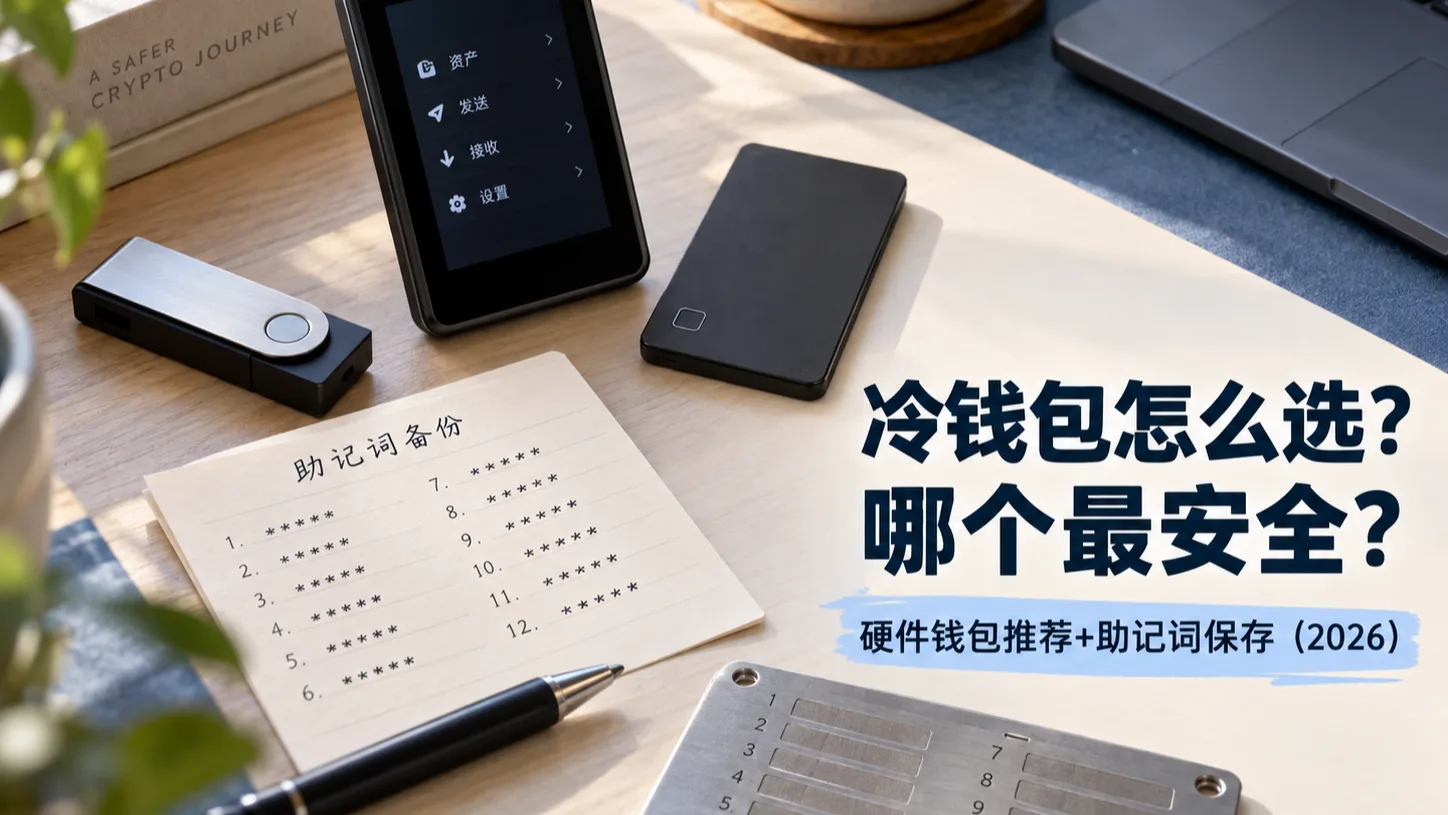
Table of contents

Binance new user rewards
20% trading fee rebate
Official Binance registration. Complete identity verification (KYC) to trade and withdraw.
How to choose a cold wallet? Start with the conclusion
A cold wallet is a self-custody wallet approach that keeps the private key and transaction-signing process isolated from ordinary internet-connected devices as much as possible. When most people say "buy a cold wallet," they usually mean buying a hardware wallet.
To choose a cold wallet in 2026, don't start by agonizing over which brand is "safest in the world." Start with your own use case:
| Your need | Better fit | Why |
|---|---|---|
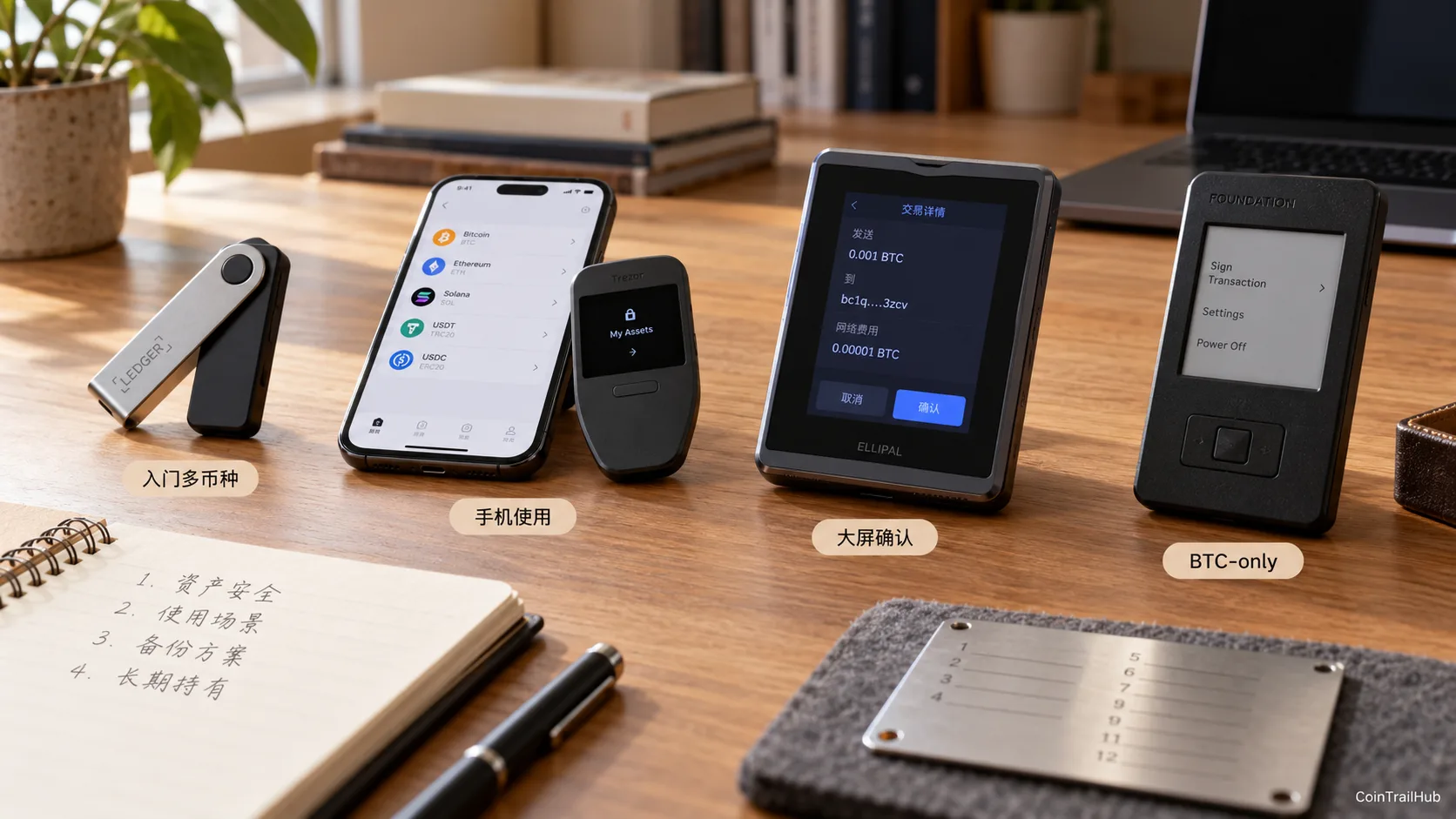
| First purchase, multi-coin | Ledger Nano S Plus / Trezor Safe 3 / OneKey Classic 1S | Sufficient features, lower learning curve |
| Often use a phone | Ledger Nano X / OneKey Classic 1S | Easier mobile connectivity |
| Want a large screen to review transactions | Ledger Flex / Trezor Safe 5 / OneKey Pro | Easier to verify addresses, amounts, and signing content |
| Value open-source transparency | Trezor / OneKey | Clearer software and firmware transparency roadmap |
| Long-term BTC-only holding | Bitcoin-only hardware wallets | Fewer features, more focused attack surface |
| Advanced BTC offline signing | Coldcard, etc. | Richer PSBT, MicroSD, and related features |
| Small amounts, high-frequency trading | May not need a cold wallet | Good hot-wallet security habits may already be enough |
No single cold wallet can be called "the safest" for every user.
What actually determines security is:
hardware design + firmware security + on-screen confirmation + seed phrase backup + recovery mechanism + your own habits.
If you just want to know what to buy:
- Ordinary beginner: entry models like the Trezor Safe 3, Ledger Nano S Plus, and OneKey Classic 1S are enough;
- Often use a phone: look first at the Ledger Nano X and OneKey Classic 1S;
- Want a large screen to confirm transactions: look at the Ledger Flex, Trezor Safe 5, and OneKey Pro;
- Long-term BTC-only: you can research Bitcoin-only models further;
- Assets already large enough that losing them would clearly affect your life: don't only upgrade the device — also upgrade how you back up the seed phrase.
The most important line:
A broken device can usually be recovered; a leaked seed phrase means control over the wallet may already be compromised.
About 9 minutes to read. First, remember: a high security-chip rating and Air-gap are not the same as absolute security; a metal seed plate resists fire and water but can't stop theft or being photographed.
What is a cold wallet?
A cold wallet is a wallet approach that keeps the private key offline long-term, or isolates the signing process in a dedicated device.
Common forms include:
- hardware wallets;
- offline-computer wallets;
- QR / MicroSD isolated signing devices;
- traditional options like paper wallets.
For ordinary users, the most practical option is usually:
a hardware wallet.
One common misconception to clear up first:
BTC, ETH, and USDT are not "stored inside the hardware wallet."
The asset records still live on the blockchain.
What a hardware wallet actually protects is:
the private key that can control those assets.
What's the difference between a cold wallet and a hot wallet?
| Comparison | Cold wallet / hardware wallet | Hot wallet |
|---|---|---|
| Private key environment | Isolated from ordinary connected devices as much as possible | Usually lives on a phone or computer |
| Common types | Ledger, Trezor, OneKey | MetaMask, Trust Wallet, etc. |
| Main use | Long-term holding, large amounts | Daily transfers, DApps |
| Biggest advantage | Reduces online exposure of the private key | Convenient |
| Main risks | Seed phrase, supply chain, wrong signing | Phishing, malware, malicious approvals |
| Usage frequency | Better for low frequency | Better for high frequency |
The more assets you have and the less you transact, the more obvious a cold wallet's value usually is.
People just starting out, with very small amounts and daily operations, don't necessarily need to buy a hardware wallet right away.
Which cold wallet is the safest?
There is no "safest" without a context.
To really compare hardware wallets, you should at least look at these 6 items:
| Security dimension | What to look at |
|---|---|
| Private key isolation | Whether the private key ever has to leave the hardware device |
| Secure Element | Whether there's a dedicated security chip to resist physical attacks |
| Firmware transparency | Open-source level, update mechanism, verifiability |
| On-screen confirmation | Whether address, amount, and contract can be confirmed on the device |
| Offline signing | Whether it supports QR, MicroSD, PSBT, etc. |
| Recovery mechanism | BIP39, SLIP39, Passphrase, multi-share backup |
Two misconceptions are easiest to fall into here.
Misconception 1: the higher the security-chip rating, the safer
Not necessarily.
A hardware wallet is a complete system, not just a chip.
It also includes:
- firmware;
- operating system;
- screen;
- random-number generation;
- firmware updates;
- supply chain;
- wallet software;
- recovery mechanism.
So seeing:
EAL6+, EAL7, bank-grade, military-grade
does not let you conclude:
this wallet must be the safest.
Misconception 2: Air-gap means it can't be stolen
Also wrong.
Air-gap usually means the device completes transaction transfers via:
- QR;
- MicroSD;
- PSBT;
rather than relying long-term on USB or Bluetooth.
It can reduce some interface risks.
But if:
- the seed phrase leaks;
- the user signs a malicious transaction;
- the device firmware has issues;
- the address is misread;
Air-gap can't solve any of those either.
Air-gap is one part of a security model, not the finish line of security.
2026 hardware wallet picks: how to choose a specific model?
This is the part many "cold wallet recommendation" articles really miss.
They only tell you:
Ledger is good Trezor is good OneKey is good
Which isn't very useful.
Because different models of the same brand differ a lot in price, screen, connectivity, and positioning.
Ledger: more mature multi-coin and software ecosystem
As of 2026, Ledger's current main line includes:
- Ledger Nano S Plus;
- Ledger Nano X;
- Ledger Nano Gen5;
- Ledger Flex;
- Ledger Stax.
Ledger Nano S Plus
Better for:
first-time Ledger buyers, mostly computer users, and people watching their budget.
Features:
- USB use;
- no Bluetooth;
- no battery;
- small OLED screen;
- supports a large number of assets in the Ledger ecosystem.
Verdict:
its value is being cheap and sufficient, not having the most features.
If you're only:
holding BTC, ETH, and USDT long-term,
you don't necessarily need to pay more for Bluetooth or a larger screen.
Ledger Nano X
Better for:
people who often use a phone.
One of the biggest practical differences from the Nano S Plus is that the Nano X:
- has a battery;
- supports Bluetooth;
- is more convenient for mobile use.
If most of your operations are on a computer:
the Nano X's value may not be obvious.
If you often operate on a phone:
it's more convenient.
Ledger Flex
Better for:
people who value confirming transactions on a screen.
Compared with the Nano series, a small-screen device makes reading long addresses and contract info more tedious.
The Flex's point isn't mainly:
"its private key must be much safer than a Nano's."
Rather:
a larger screen reduces the probability of the user misreading transaction information.
Ledger is also strengthening transaction-checking features like Transaction Check on touchscreen devices.[1]
For people who often do:
- DeFi;
- token transfers;
- multi-chain operations;
the large screen's real value becomes clearer.
Trezor: standout open-source transparency and recovery mechanism
Trezor's current main Safe series includes:
- Trezor Safe 3;
- Trezor Safe 5;
- Trezor Safe 7;
with corresponding Bitcoin-only versions.
Trezor Safe 3
Better for:
first-time Trezor buyers who also value open source and the Secure Element.
It's a fairly typical entry choice:
not the fanciest feature set,
but core hardware security and recovery ability are already quite complete.
Trezor Safe 5
Better for:
people who want touchscreen operation and often need to confirm transactions on the device.
Compared with the Safe 3:
one of the biggest experience upgrades is the color touchscreen.
If you only hold long-term and rarely operate:
you don't necessarily have to upgrade.
If you sign frequently:
the screen experience's value rises clearly.
Trezor Safe 7
The Safe 7 belongs to Trezor's higher-end line.
Trezor's official materials show that the Safe 7 uses a three-layer hardware security architecture with two security elements — TROPIC01 and OPTIGA Trust M — plus an STM32U5 MCU.[2]
In May 2026, Trezor also added ML-DSA-based post-quantum signature verification for device authenticity checks.[3]
Verdict:
the Safe 7 is more of a high-end security and future-compatibility line, not a necessity for ordinary beginners.
If you're just starting with cold wallets:
the Safe 3 already covers a great deal of needs.
OneKey: friendlier Chinese, multi-chain, and mobile experience
For OneKey, the current main models to look at are:
- OneKey Classic 1S Pure;
- OneKey Classic 1S;
- OneKey Pro.
As of this verification, OneKey's official site shows:
| Model | Official price | Main positioning |
|---|---|---|
| Classic 1S Pure | $79 | No battery, long-term storage |
| Classic 1S | $99 | Battery + mobile use |
| OneKey Pro | $278 | Large screen, QR, fingerprint, advanced interaction |
OneKey Classic 1S Pure
This is an easy product to understand:
you don't need to move it around often, and just want to store coins long-term.
Its official positioning is a no-battery design.
For HODL users:
a battery isn't necessarily an advantage.
Because:
on a device left unused long-term, battery aging is itself a maintenance factor.
So the Pure's design fits the scenario of:
buy it → initialize → store long-term → operate occasionally
very well.
OneKey Classic 1S
Its official price is currently $99.
Compared with the Pure:
it has a built-in battery,
and is more flexible to use.
Better for:
- phone users;
- multi-chain users;
- people who don't want to plug in a cable every time.
OneKey Pro
Its official price is currently $278.[4]
The main additions are:
- a 3.5-inch color touchscreen;
- a camera;
- QR air-gapped signing;
- fingerprint;
- richer connectivity;
- full transaction information display on the device.
So the Pro's core value isn't:
more expensive, so the coins must be safer.
Rather:
you can see more clearly what exactly you're signing.
Coldcard: for advanced Bitcoin users, but you must know the 2026 security event
Coldcard has long drawn Bitcoin users' attention mainly because of:
- Bitcoin-only;
- PSBT;
- MicroSD;
- Air-gap;
- advanced security features.
But in 2026 you can't keep copying the old articles' claim that:
Coldcard = ultimate security.
Because in July 2026, Coldcard disclosed a random-number generation issue in some older firmware.[5]
The issue could cause:
seeds generated by some affected firmware to have insufficient randomness.
Coldcard has since released a fix.
More importantly:
upgrading firmware only fixes seeds generated in the future; a seed already generated on an affected older version will not automatically become safe just from updating the firmware.
So if you're considering Coldcard:
you should confirm:
- the device model;
- the firmware version;
- when the seed was generated;
- whether you need to migrate per official guidance.
Coldcard is still suited to advanced users who understand Bitcoin self-custody and PSBT, but it's not suited as the "default first recommendation" for beginners.
Ledger, Trezor, OneKey, or Coldcard — how to choose?
| Product line | Strengths | To consider | Better for |
|---|---|---|---|
| Ledger | Multi-coin, mature ecosystem, mobile experience | Some components are not fully open-source | Multi-chain users |
| Trezor | Open-source transparency, mature recovery mechanism | Some high-end features cost more | Transparency-focused users |
| OneKey | Chinese-language support, multi-chain, open-source path | Many models to choose from | Chinese-speaking users |
| Coldcard | Bitcoin-only, PSBT, Air-gap | Steep learning curve | Advanced BTC users |
First purchase
Look first at:
Trezor Safe 3 / Ledger Nano S Plus / OneKey Classic 1S.
Often use a phone
Focus on:
Ledger Nano X / OneKey Classic 1S.
Want to see every signature clearly
Focus on:
Ledger Flex / Trezor Safe 5 / OneKey Pro.
Long-term BTC-only
You can look at:
- Bitcoin-only firmware;
- Trezor Bitcoin-only;
- OneKey Classic 1S Pure BTC-only;
- Coldcard;
- Jade;
- BitBox Bitcoin-only.
OneKey currently also offers a Classic 1S Pure BTC-only version, shown at $79.
How to choose by budget?
Hardware wallet prices are affected by:
- exchange rates;
- region;
- taxes;
- shipping;
- official promotions.
So it's not recommended to hardcode a local-currency price.
It's better to choose by purchase tier.
Entry budget
Goal:
store coins safely, without chasing a large screen, fingerprint, or complex Air-gap.
Worth comparing mainly:
- OneKey Classic 1S Pure;
- OneKey Classic 1S;
- Ledger Nano S Plus;
- Trezor Safe 3.
Decision:
for a first cold wallet, most people should actually start from this tier.
Mid budget
Goal:
mobile use + a better operating experience.
Focus on comparing:
- Ledger Nano X;
- Trezor Safe 5;
- other mainstream models with a large screen or mobile capability.
Suited to:
people who transfer often, but don't want to keep their main assets in a hot wallet.
High budget
Goal:
large screen, QR, more on-device confirmation capability.
Worth comparing:
- Ledger Flex;
- Ledger Stax;
- Trezor Safe 7;
- OneKey Pro.
But remember:
a wallet over $200 won't automatically be two or three times safer than an $80 one.
The extra money mainly buys:
- a screen;
- operating experience;
- wireless connectivity;
- QR;
- biometrics;
- extra security features.
If a user can't even manage the seed phrase:
the most expensive device can still lose coins.
Check these 5 things before buying a cold wallet
1. Buy only from official or authorized channels
Don't buy:
- second-hand devices;
- unsealed devices;
- already-initialized devices;
- devices bundled with a "pre-written seed phrase."
Under normal circumstances:
the seed should be generated by the device itself on first initialization.
2. It must have an independent screen to confirm transactions
Don't only trust the address shown on your computer or phone.
Before signing, check on the hardware wallet's screen:
- the address;
- the amount;
- the network;
- the contract content.
A computer can be infected.
One core value of a hardware wallet is:
letting you confirm the final signing content on an independent device.
3. Don't only look at Secure Element specs
A security chip matters.
But it's not everything.
You should also look at:
- firmware;
- update mechanism;
- software;
- random-number generation;
- screen;
- recovery plan.
4. Don't over-trust Air-gap
QR and MicroSD can reduce some connectivity risks.
But they can't solve:
- malicious transactions;
- seed phrase leaks;
- user confirmation errors;
- firmware problems.
5. Ask "how do I recover if it breaks" before buying
A more important question than how many coins it supports is:
If the device breaks tomorrow, can I still recover?
You need to clarify:
- BIP39 or another standard;
- 12 / 20 / 24 words;
- whether Passphrase is supported;
- whether multi-share recovery is supported;
- whether it can be recovered on another compatible wallet.
What is a seed phrase?
A seed phrase (Seed Phrase / Recovery Phrase) is a set of important information used to recover the wallet keys.[6]
Common BIP39 wallets use:
- 12 words;
- 24 words.
But not all wallet recovery schemes are BIP39.
For example:
some Trezor models also support SLIP39 Multi-share Backup.
So a more accurate definition is:
a seed phrase is a common form of wallet recovery information.
What's the difference between address, private key, and seed phrase?
| Item | Role | Can it be public? |
|---|---|---|
| Wallet address | Receives assets | Yes |
| Private key | Signs transactions, controls the address | No |
| Seed phrase | Recovers the wallet and related keys | No |
| Passphrase | Creates an extra wallet protection layer | No |
Simply put:
Address = the receiving account.
Private key = the signing authority.
Seed phrase = the key backup that recovers the entire wallet key system.
Why is the seed phrase more important than the device itself?
Suppose your hardware wallet:
- breaks;
- is lost;
- gets water-damaged;
- has a dead battery.
As long as the recovery information is still safe:
you can usually recover with a new compatible device.
But if:
the hardware wallet is still there,
yet the seed phrase has already been copied by someone else,
the attacker may recover your wallet directly on another device.
So:
losing the device ≠ necessarily losing coins.
leaking the seed phrase = control over the wallet may already be compromised.
How to store a seed phrase most safely?
Ordinary users can first remember:
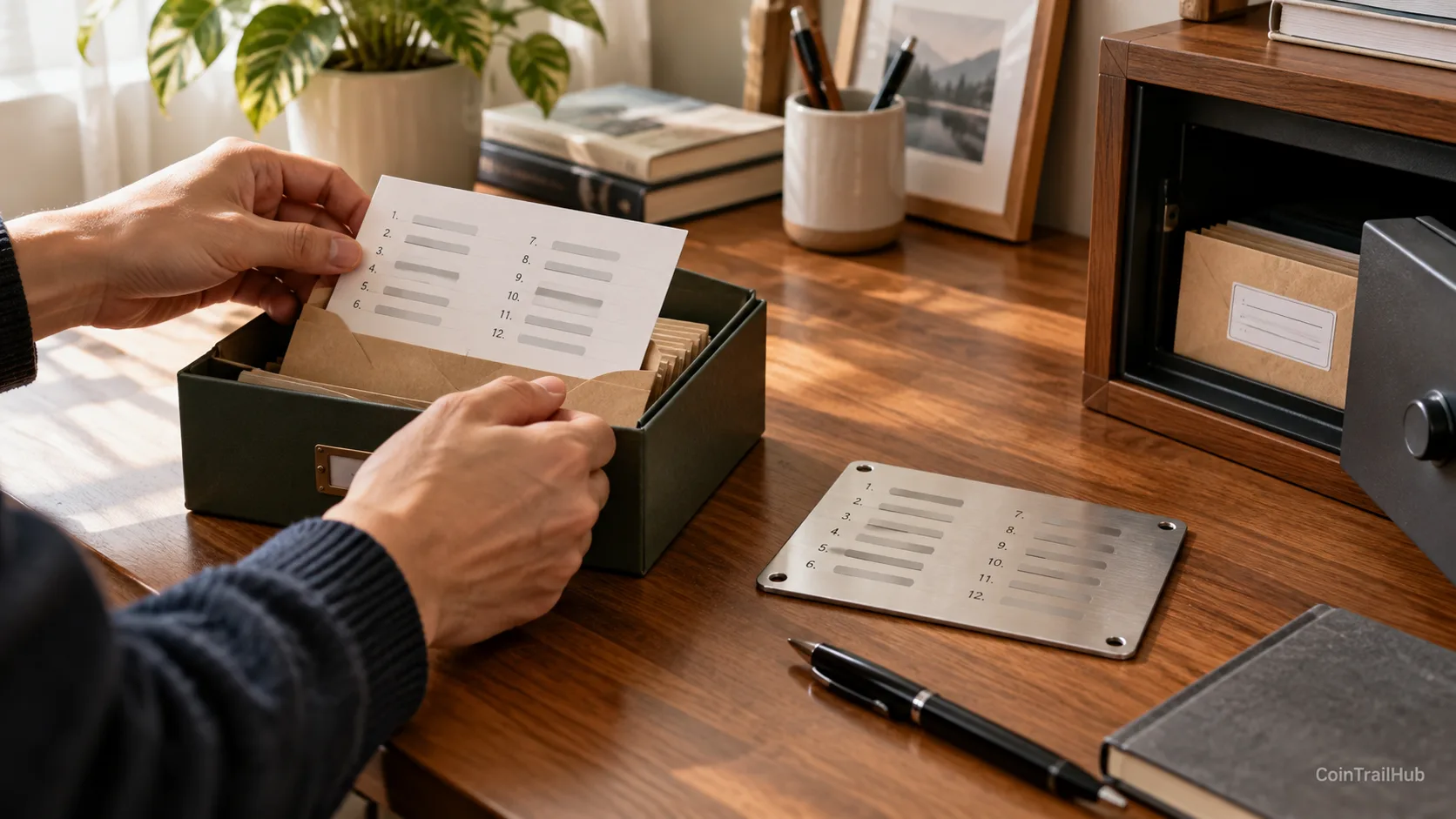
offline + multiple copies + separate locations + able to recover.
Method 1: paper backup
Pros:
- free;
- offline;
- simple.
Cons:
- vulnerable to fire;
- vulnerable to water;
- ages easily.
Suited to:
beginners and users with smaller amounts.
Method 2: metal backup
It solves:
the risk of physical damage.
It's more resistant to:
- water;
- high temperature;
- corrosion.
But:
a metal backup can't stop others from seeing it.
If someone obtains the full seed:
they can recover the wallet just the same.
Method 3: storing in multiple locations
For example:
- one copy at location A;
- one copy at location B.
Pros:
reduces single-point disaster risk.
But don't copy it a dozen times.
Because:
the more backups, the larger the leak surface may become.
Method 4: SLIP39 multi-share backup
For example:
generate 3 shares,
and set:
any 2 shares can recover.
This way:
- losing one share doesn't necessarily make recovery impossible;
- stealing a single share can't recover directly.
Trezor's current Safe series supports related Multi-share Backup schemes.
But the complexity is also clearly higher.
If you haven't even done an ordinary wallet recovery yourself, beginners don't need to start with complex shares.
Method 5: Passphrase
A Passphrase adds an extra secret on top of existing recovery information.
Even if someone obtains the original seed phrase:
if they don't know the correct Passphrase,
they can't open that particular wallet.
But the risk is just as clear:
if you forget the Passphrase, no one can recover it either.
So:
don't keep:
the seed phrase + the Passphrase
in the same place.
How to choose a seed phrase storage method?
| Method | Strengths | Risks | Suited to |
|---|---|---|---|
| Single paper copy | Simple, offline | Fire, water damage, loss | Small amounts |
| Two copies, separate locations | Reduces single-point loss | Adds one more leak surface | Ordinary users |
| Metal backup | Fire-resistant, water-resistant | Still vulnerable to theft | Long-term assets |
| SLIP39 | A single leaked share may not recover | Complex to operate | Large amounts, advanced |
| Passphrase | Adds a layer even if the seed leaks | Unrecoverable if forgotten | Advanced |
| Screenshot / cloud drive | Convenient | Online leak | Not recommended |
Ordinary beginner
A more practical approach is usually:
two offline backups + two secure locations.
As the amount grows, then consider:
- metal;
- Passphrase;
- Multi-share.
Never store a seed phrase like this
Don't:
- screenshot it;
- photograph it;
- put it on Google Drive;
- put it on iCloud;
- put it on Dropbox;
- send it via WhatsApp/Telegram;
- send it via Telegram;
- send it by email;
- put it in a computer TXT file;
- hand it to a so-called support agent.
The moment someone says:
send your seed phrase so we can verify it.
or:
enter your seed phrase to unlock.
you should stop immediately.
Legitimate wallet support never needs your full seed phrase.
How to initialize a hardware wallet the first time?
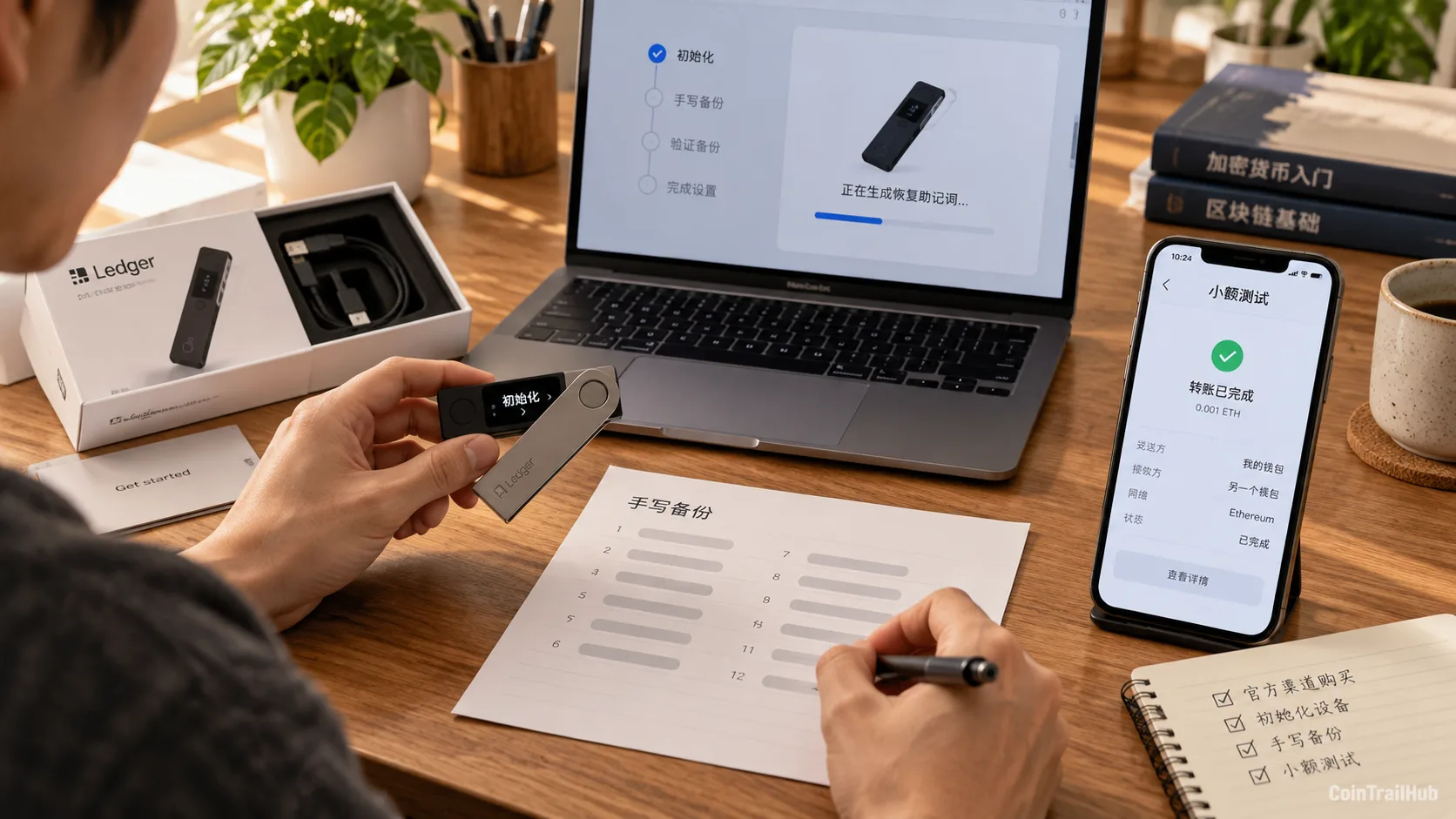
Step 1: check the purchase channel
Prioritize:
- the official website;
- officially authorized channels.
Step 2: confirm it's not a pre-initialized device
If the package already contains:
12 / 24 pre-written English words
do not use it.
A normal seed should be:
generated by your own device during initialization.
Step 3: record the seed phrase yourself
Don't:
- screenshot it;
- photograph it;
- sync it to the cloud.
Step 4: run a recovery test
This is a step many beginners skip.
Before moving in a large amount of assets:
confirm the backup really can recover.
Step 5: transfer a small amount first
Check:
- the network;
- the address;
- the balance;
are all correct,
then transfer the remaining assets.
The biggest wallet risk isn't necessarily hackers
A large share of wallet losses actually come from:
- fake official sites;
- fake apps;
- fake support;
- users leaking the seed phrase;
- malicious signing;
- address substitution;
- pre-initialized devices.
So what a hardware wallet solves is:
reducing the attack surface.
Not:
eliminating all risk.
Which is safer: a hardware wallet or an exchange?
| Comparison | Exchange | Hardware wallet |
|---|---|---|
| Private key | Managed by the platform | Managed by you |
| Forgot login password | Usually recoverable | Depends on recovery information |
| Support | Available | Cannot recover your keys for you |
| Platform freeze | Possible | Not a primary risk |
| Seed risk | Usually none | Very important |
| Security responsibility | Platform + user | Mainly the user |
So:
a cold wallet isn't inherently safer than an exchange.
It just changes:
trusting the platform to manage assets
into:
managing the private key yourself.
If you can't even store the seed phrase correctly:
self-custody isn't necessarily safer than a mature exchange account.
When do you really need a cold wallet?
Better suited when you:
- hold BTC / ETH long-term;
- rarely trade;
- already have a large asset amount;
- don't want the private key sitting on a connected device long-term;
- can carefully manage the seed phrase.
You may not need to buy one right away if you:
- are just starting with crypto;
- have only a small amount of funds;
- trade at high frequency daily;
- frequently connect to DApps;
- don't yet understand the recovery flow.
First learn to recover a wallet, then upgrade the hardware.
A safer way to use wallets: layering
Don't put all assets and all purposes in one wallet.
You can split them into:
Long-term wallet
Used for:
long-term assets like BTC and ETH.
As much as possible:
- don't connect to DApps;
- don't grant unfamiliar approvals;
- operate rarely.
Daily wallet
Used for:
- transfers;
- DeFi;
- Web3.
Only keep the amount you need in the near term.
Test wallet
Used for:
- new protocols;
- new projects;
- airdrops;
- unfamiliar websites.
Even if something goes wrong,
it won't directly affect your main assets.
Cold wallet security checklist
| Check item | Recommendation |
|---|---|
| Buy from an official channel | Must |
| Initialize it yourself | Must |
| Seed generated by yourself | Must |
| Seed not screenshot | Must |
| Seed not uploaded to the cloud | Must |
| Two offline backups | Recommended |
| Separate locations | Recommended |
| Recovery test | Strongly recommended |
| First small transfer | Must |
| Verify the address on screen | Must |
| Don't sign unfamiliar transactions | Must |
| Official firmware updates | Recommended |
FAQ
Which cold wallet brand is safest?
There's no absolute safest.
Ledger, Trezor, OneKey, and Coldcard have different approaches.
For an ordinary user:
- multi-coin and ease of use: Ledger / OneKey;
- open-source transparency: Trezor / OneKey;
- Bitcoin-only: compare dedicated BTC devices further.
Real security comes from:
device + recovery mechanism + seed phrase + habits.
Which cold wallet should a beginner buy?
If you don't need special features:
start from mainstream entry models, for example:
- Ledger Nano S Plus;
- Trezor Safe 3;
- OneKey Classic 1S.
You don't have to buy the most expensive model first.
Which is safer, Ledger or Trezor?
There's no simple answer.
Ledger emphasizes the Secure Element, hardware isolation, and a mature ecosystem.
Trezor emphasizes open-source transparency, auditable design, and recovery schemes.
You should decide based on:
- which coins you use;
- whether you use a phone;
- whether you value open source;
- whether you need a large screen;
- the recovery method.
OneKey Classic 1S or Pro — how to choose?
If you're only:
holding long-term, multi-chain, daily transfers,
the Classic 1S is enough.
If you often sign complex transactions and want:
- a large screen;
- QR;
- fingerprint;
- more complete transaction display;
then consider the Pro.
OneKey's official site currently shows the Classic 1S at $99 and the Pro at $278.
Is a cold wallet 100% safe?
No.
It mainly reduces the risk of:
- online exposure of the private key;
- malware directly obtaining the private key.
It can't prevent:
- seed leaks;
- malicious signing;
- fake sites;
- supply-chain problems;
- user operating errors.
If a hardware wallet breaks or is lost, are the coins gone?
Usually not.
The assets aren't inside the device.
As long as the recovery information is safe:
you can usually recover on a compatible wallet.
Which is better, a 12-word or 24-word seed phrase?
BIP39 commonly comes in:
- 12 words;
- 24 words.
For ordinary users:
the more common risk isn't 12 vs 24,
but:
a leaked or lost seed phrase backup.
Is it safe to store a seed phrase as a photo?
Not recommended.
Images may auto-sync to:
- iCloud;
- Google Photos;
- phone backups;
- third-party apps.
Long-term cold storage should prioritize offline backup.
Can I store a seed phrase in a password manager?
Technically you can store it encrypted.
But if you use a cold wallet precisely to reduce online risk:
putting the seed back into an online environment adds attack surface again.
The more logical approach for long-term cold storage remains:
offline storage.
What should I do if the seed phrase leaks?
Don't just change:
- the wallet PIN;
- the app password.
They can't change a seed that has already leaked.
You should:
- create a brand-new wallet;
- generate new recovery information;
- confirm the backup is secure;
- transfer the assets;
- stop using the old wallet.
Is a metal seed plate the safest?
What it mainly solves is:
physical damage like fire, water, and corrosion.
But it can't prevent:
- theft;
- being seen;
- being copied.
So:
metal ≠ automatically safe.
Should I use Shamir / SLIP39?
If the amount is large and you already know the recovery flow well, you can consider it.
Just starting out:
don't design a recovery scheme so complex you can't understand it yourself, just to chase "advanced security."
Being able to recover correctly matters more than a scheme that looks complex.
So how do you choose?
If you still don't know what to buy after reading this far:
First purchase
Ledger Nano S Plus / Trezor Safe 3 / OneKey Classic 1S
first.
Phone use is frequent
Look at:
Ledger Nano X / OneKey Classic 1S.
Want a large screen to confirm transactions
Look at:
Ledger Flex / Trezor Safe 5 / OneKey Pro.
Long-term BTC-only
Research further:
- Bitcoin-only models;
- Coldcard;
- Jade;
- BitBox Bitcoin-only.
Large long-term assets
Don't only buy a more expensive wallet.
Also upgrade:
- the seed storage medium;
- multi-location backup;
- recovery testing;
- Passphrase;
- Multi-share.
Protect the recovery information first, then talk about "safest"
What a cold wallet really solves is:
isolating the private key and transaction signing from ordinary connected devices.
But a cold wallet can't eliminate all risks for you.
Finally, remember 5 things:
- There's no "safest cold wallet" for everyone;
- Buy only from official or authorized channels;
- Don't screenshot, upload, or send the seed phrase;
- Verify the address and amount on the hardware device before signing;
- Run a recovery test before moving in large amounts.
If you remember only one line:
a hardware wallet protects the private key, but what you really need to protect is the ability to recover the wallet.
A broken device can be replaced.
Once a seed phrase leaks,
it can never go back to "never leaked."
Data verification notes
The key facts in this article were verified on 2026-10-16 against official materials from Ledger, Trezor, OneKey, and Coldcard, plus the BIP39 seed phrase standard, item by item as follows:
- Ledger's transaction-checking features: Ledger is strengthening transaction-checking features like Transaction Check on touchscreen devices, to help users verify signing content on the device. Source: Ledger official (hardware wallet models and features).
- Trezor Safe 7 hardware architecture: Trezor's official materials show that the Safe 7 uses a three-layer hardware security architecture with two security elements — TROPIC01 and OPTIGA Trust M — plus an STM32U5 MCU. Source: Trezor official (Safe series and hardware security design).
- Trezor's post-quantum signature verification: in May 2026, Trezor added ML-DSA-based post-quantum signature verification for device authenticity checks. Source: Trezor official (Safe series and hardware security design).
- OneKey Pro official pricing: as of this verification, OneKey's official site shows the OneKey Pro at $278. Source: OneKey official product page (models and pricing).
- Coldcard 2026 RNG event: in July 2026, Coldcard disclosed a random-number generation issue in some older firmware that could cause insufficient randomness in seeds generated by affected firmware; the official has since released a fix. Source: Coldcard security status notice (2026 RNG event and fixed firmware).
- Definition of seed phrase: a seed phrase (Seed Phrase / Recovery Phrase) is a set of recovery information used to recover the wallet keys; BIP39 is one of the common standards. Source: BIP39 seed phrase standard.
Related reading
- What is a seed phrase? Why no one can recover your assets if you lose it (2026) — understand the wallet recovery mechanism
- Beginner wallet security guide: seed phrases, wrong-network transfers, and authorization risks in one place — a complete wallet security checklist
- Crypto beginner anti-scam: 5 scams I've seen and 1 life-saving principle — fake support, fake wallets, and seed scams
- What is a crypto wallet? Wallet addresses, seed phrases, and asset security (2026) — wallet fundamentals
- How to choose a Bitcoin wallet? Cold / hot / hardware wallet comparison (2026) — a complete comparison of wallet types
Risk notice: this article introduces crypto wallet and asset security knowledge and does not constitute investment advice. A hardware wallet cannot eliminate all risks; buy devices from official or authorized channels and verify the latest firmware, security notices, and recovery flow yourself.
- 2026-10-16UpdateAdded evidence-chain superscripts and "Data verification notes"; updated the key-fact verification date.
- 2026-10-06UpdateFull restructure: the first screen now targets "how to choose / which is safest" intent, hardware wallet picks moved up and seed phrase storage demoted to a secondary intent; added concrete model selection and official USD prices for Ledger Nano/Trezor Safe/OneKey Classic+Pro, the Coldcard 2026 RNG security event, entry/mid/high budget decisions, and 6 security dimensions plus a recovery-testing checklist.
- 2026-10-01UpdateTitle repositioned to the "cold wallet" head term; added a cold wallet definition and a cold-vs-hot wallet comparison table; seed phrase storage demoted to a core section.
- 2026-09-15UpdateAdded verification date; added a horizontal comparison table of 5 storage methods.
See ourEditorial Policy and the correction process in ourCorrections Policy.
The CoinTrailHub editorial team focuses on crypto education for beginners, exchange security and P2P trading risk. This article is compiled from official sources and public data, reviewed by humans, and strives for accuracy but is not investment advice.
Last updated:2026-10-06 · Content reviewed by humans · Learn more
© 2026 CoinTrailHub · Original content. Reproduction or rewriting without permission is prohibited.