
What Is a Crypto Wallet? Wallet Addresses, Seed Phrases and Asset Security (2026)
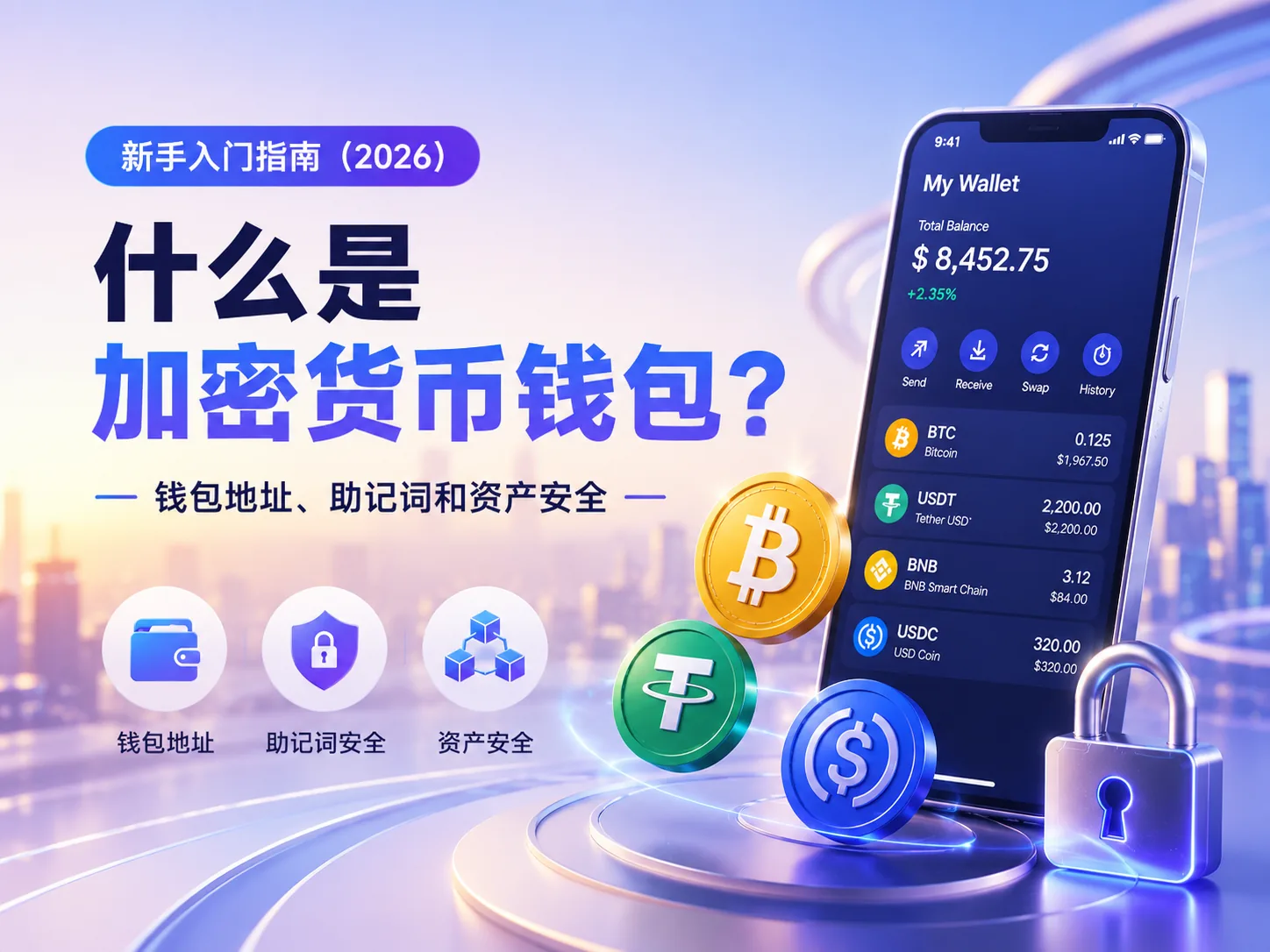
Table of contents

Binance new user rewards
20% trading fee rebate
Official Binance registration. Complete identity verification (KYC) to trade and withdraw.
The first time you buy USDT, a very practical question hits you:
Where do the coins actually go?
Keeping them on the exchange is convenient, but you worry about platform risk. Withdrawing them to a wallet sounds safer, but the moment you see wallet addresses, network selection and seed phrases, you freeze up.
That's exactly why wallets make beginners nervous.
A wallet isn't like an ordinary app account. Forget a password and you can reset it; lose a bank card and you can get a replacement — but a Web3 wallet is different.
Leak your seed phrase and your assets may be moved out; lose your seed phrase and, in many cases, no one can help you recover.
So this article won't start with complicated technology.
We'll first clarify the things beginners need to understand most: what a wallet actually is, how to use a wallet address, why the seed phrase matters so much, and how to avoid losing assets through a single careless move.
This article is for basic crypto education only, and does not constitute investment, financial or trading advice.
Understand a crypto wallet in 30 seconds
- What a wallet is: a tool for managing on-chain assets and addresses
- Does a wallet actually store coins: strictly speaking no — assets are recorded on the blockchain
- What a wallet address is: an on-chain address used to receive assets
- What a seed phrase is: an important credential for recovering a wallet; never leak it
- What a private key is: the core key that controls a specific address's assets
- What a hot wallet is: an internet-connected, convenient wallet
- What a cold wallet is: more offline custody, suited to holding larger assets long term
- Biggest risks: seed phrase leak, private key leak, approving malicious contracts, sending to a wrong address
- One-line takeaway: a wallet isn't a box that stores coins, but a tool for managing control of on-chain assets
If you haven't yet sorted out the basics of Crypto, blockchain, BTC, ETH and USDT, read these first:
- What Is a Crypto Wallet? Wallet Addresses, Seed Phrases and Asset Security (2026)
- What Is Blockchain? How It Works, Uses and Risks (2026)
- What Is USDT? Uses and Risks of Tether (2026)
A wallet is not a "place to store coins"
Many beginners assume a wallet is like WeChat Pay, an Alipay balance or a bank card account — that the coins are stored inside the wallet.
That understanding isn't quite right.
In a blockchain, assets are recorded on-chain. A wallet is more like a "key management tool."
Think of it this way:
The blockchain records where assets are; the wallet manages control of that address for you.
For example, if your wallet shows 500 USDT, that doesn't mean the 500 USDT physically sits inside the phone app.
More precisely, the on-chain record shows a certain address owns those 500 USDT, and your wallet holds the permission to control that address.
The Ethereum official wallet documentation also describes a wallet as a tool that helps users connect to applications and manage accounts and assets — not a simple "coin-storage box."
So what really matters isn't the wallet app itself, but:
the seed phrase, the private key and control of the address.
This is why, after changing phones or wallet apps, you can still recover your wallet as long as you keep the seed phrase; but if the seed phrase is lost, it's often very hard to recover the assets.
1. What exactly is a crypto wallet?
A crypto wallet is a tool for managing on-chain assets, wallet addresses, private keys and transaction signatures.
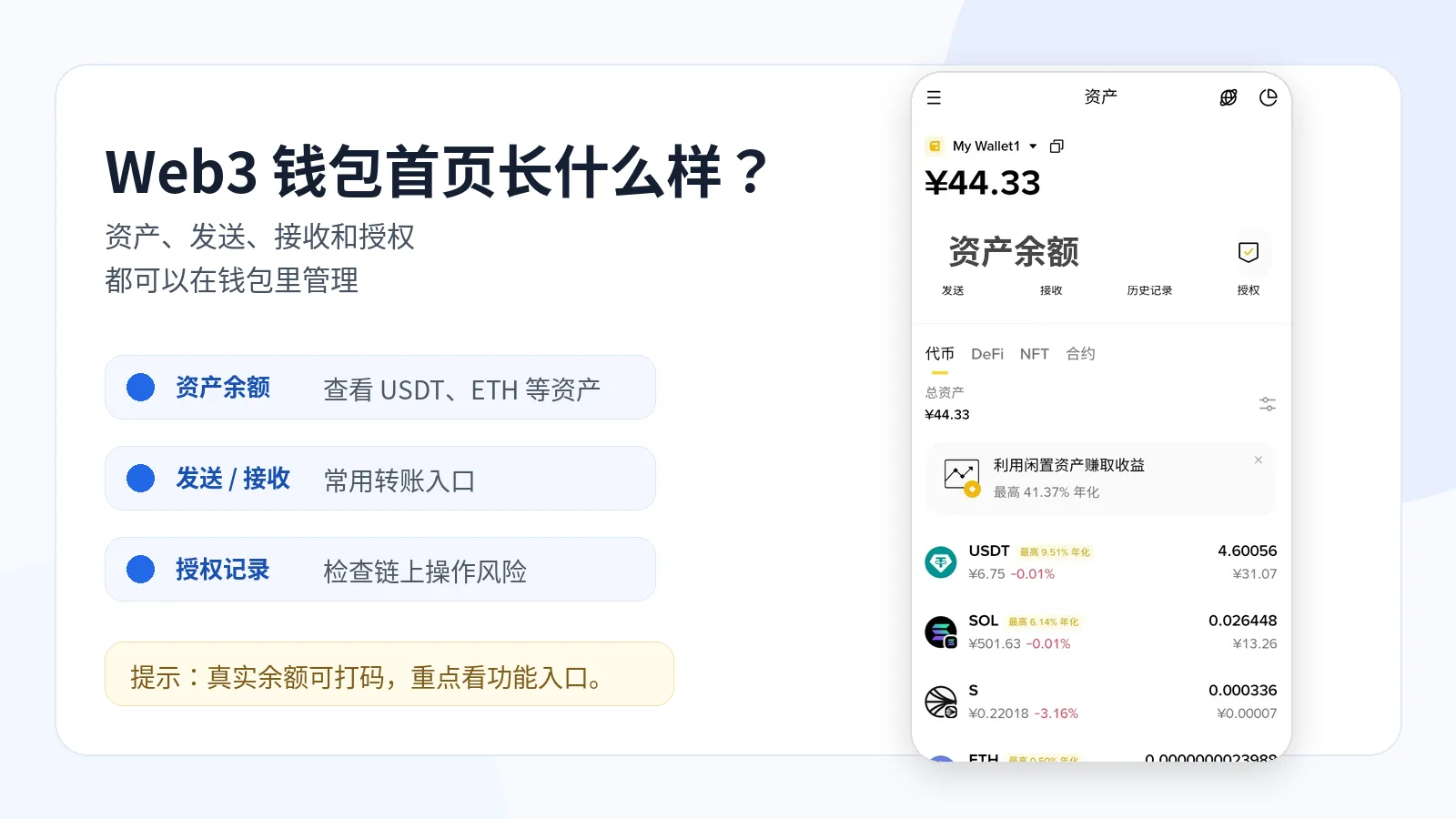
You can use a wallet to:
- View asset balances;
- Receive BTC, ETH, USDT and other crypto assets;
- Initiate on-chain transfers;
- Connect to DApps;
- Confirm approvals and signatures;
- Manage assets across different blockchain networks.
Common wallets today include MetaMask, OKX Wallet, Trust Wallet, TokenPocket, imToken, Phantom and more.
Different wallets support different chains and have different interfaces, but the core logic is similar:
A wallet manages your addresses, addresses correspond to on-chain assets, and the seed phrase or private key determines whether you can control those assets.
Don't rush to figure out which wallet is "best" here.
What beginners need to understand first is:
wallet addresses, seed phrases, private keys, network selection and approval risks.
These matter more than the wallet brand.
2. What is a wallet address?
A wallet address is essentially your on-chain receiving address.
If someone wants to send you USDT, ETH or other assets, they need your wallet address.
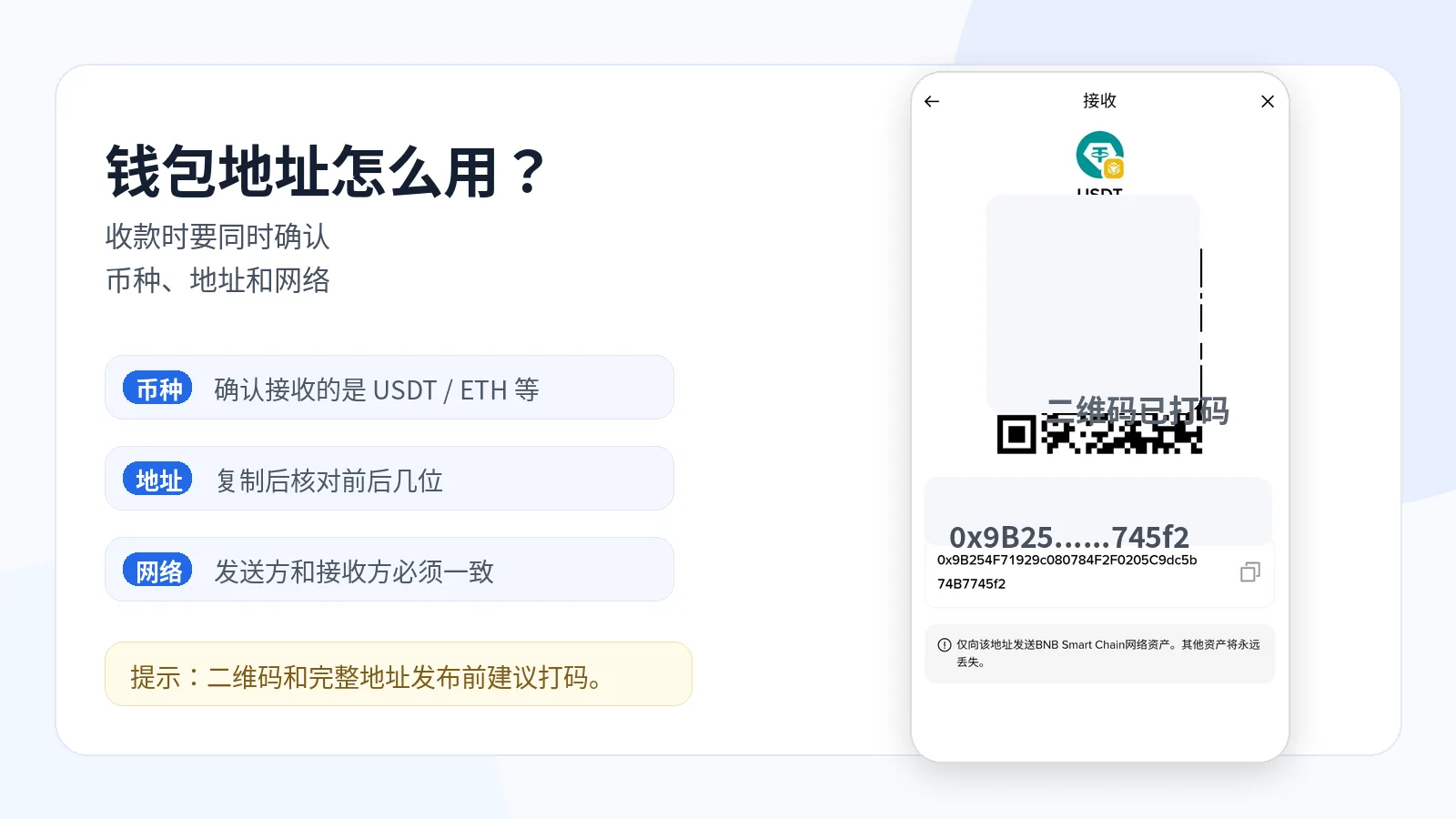
For example, wallet addresses on Ethereum and many EVM-compatible networks usually start with:
0x
followed by a string of characters.
It might look like:
0x12ab...89cd
This address can receive ETH, ERC20-USDT, USDC and other assets.
The Ethereum Accounts developer documentation also mentions that an Ethereum account contains concepts like an address, a public key and a private key. Beginners don't need to study it deeply at first, but should at least know this: an address is receiving information that others can see, while the private key and seed phrase must never be given out.
But there's a problem beginners easily overlook:
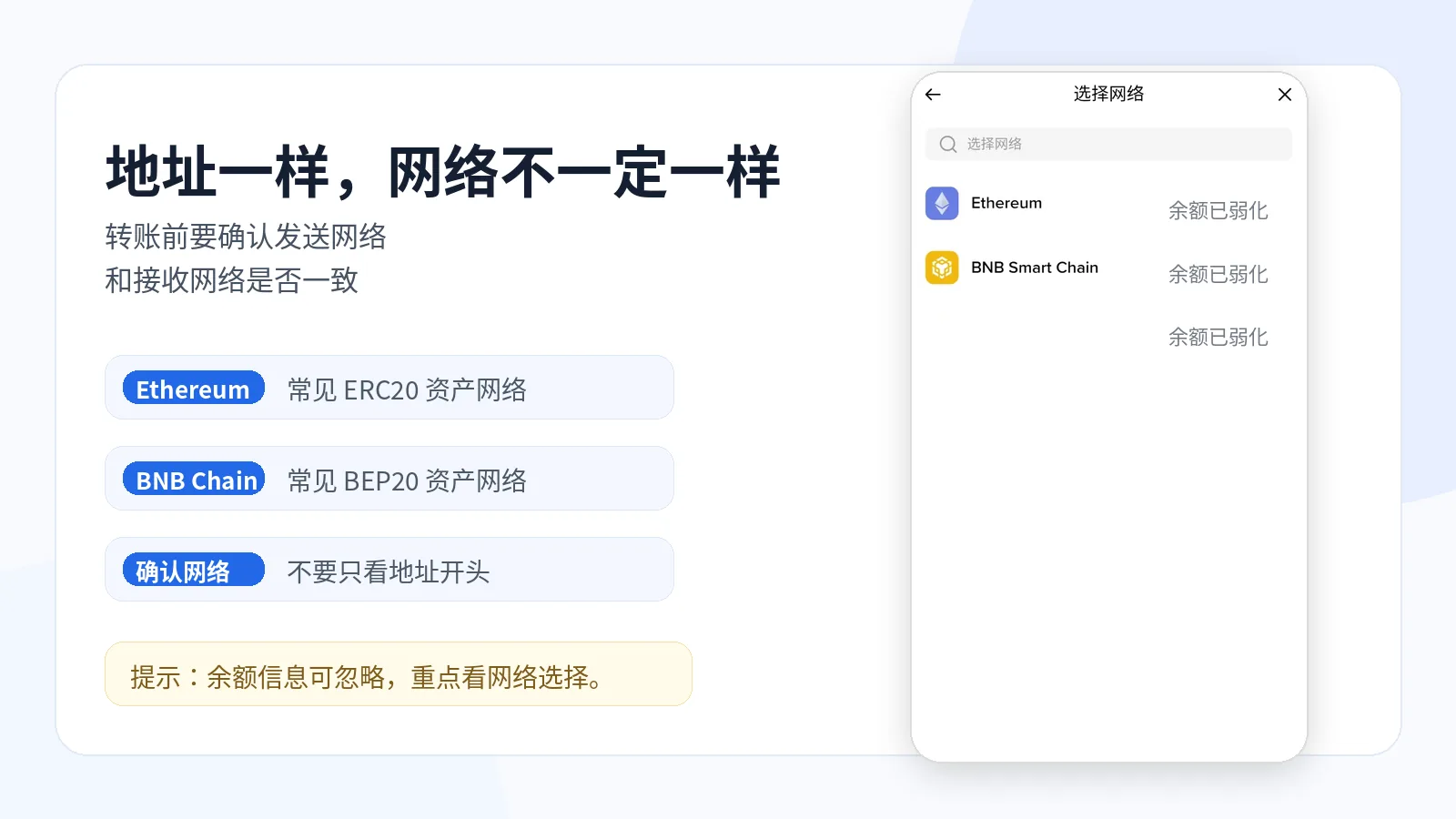
An address that looks the same doesn't necessarily mean the network is the same.
For example, addresses on Ethereum, BNB Chain, Polygon and Arbitrum can all start with 0x.
But they belong to different networks.
When you transfer, you can't look only at the address — you also need to check the network.
This is also why, in What Is USDT? Uses and Risks of Tether (2026), I keep reminding you:
The coin being right doesn't mean the network is right.
The address is only one part; the network matters equally.
3. What are a seed phrase and a private key?
A seed phrase, also called a recovery phrase, is usually 12 or 24 English words.
Its role is direct:
to recover the wallet.
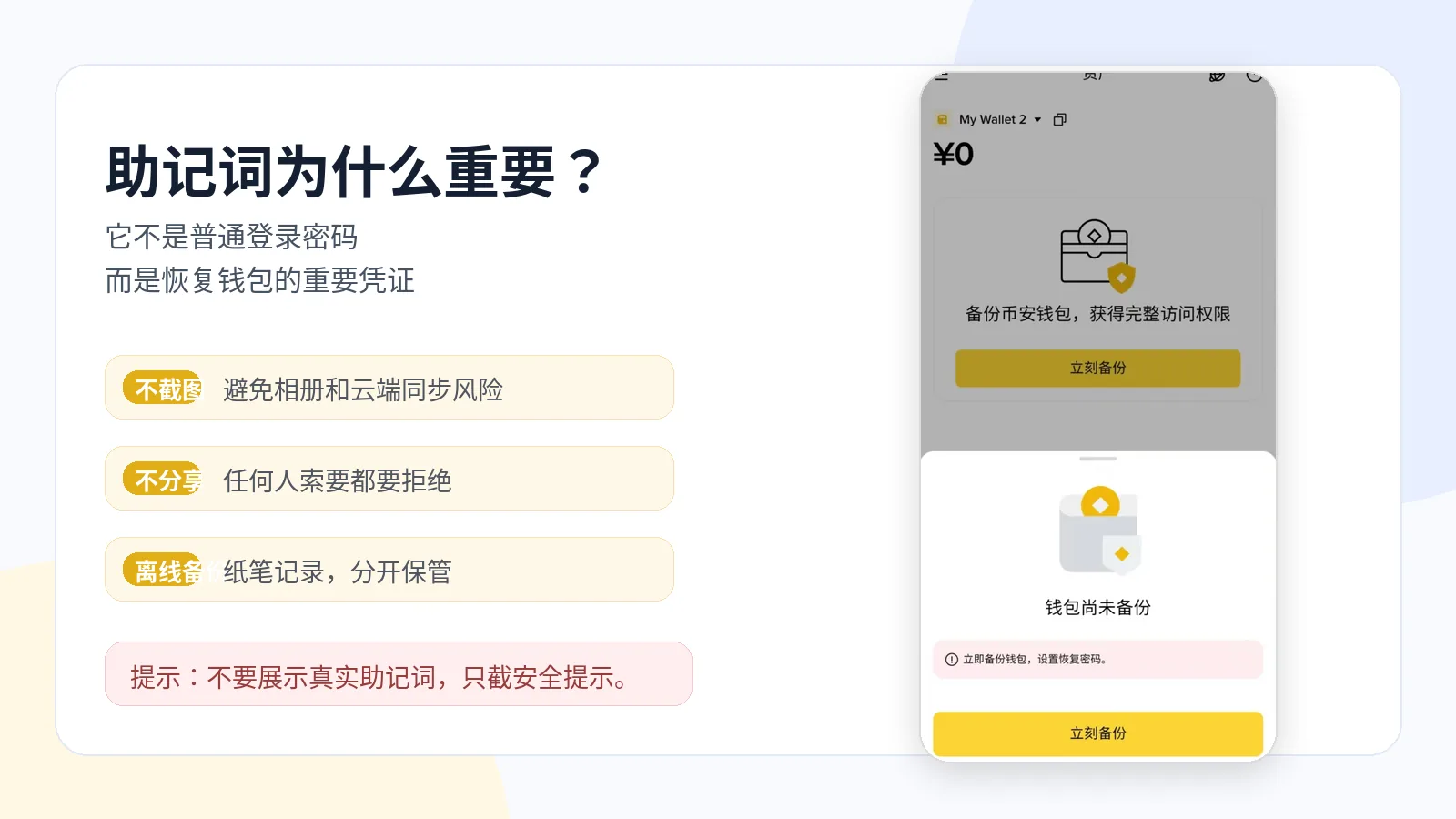
Change your phone, and you can recover the wallet with the seed phrase.
Delete the wallet app, and you can recover the wallet with the seed phrase.
Switch to another wallet that supports the same standard, and you may be able to import it with the seed phrase.
The MetaMask official help center calls it the Secret Recovery Phrase and repeatedly reminds users not to share it with anyone. Beginners can think of it as "one of the highest permissions for recovering a wallet," not an ordinary login password.
A private key can be understood as the core key that controls the assets of a specific wallet address.
For beginners, understand it this way:
A seed phrase recovers the wallet, the wallet generates or manages private keys, and a private key controls a specific address.
Don't study this part too deeply at first.
Just remember one thing:
A seed phrase and a private key are not ordinary passwords. Don't store them carelessly, and definitely don't send them to anyone.
Forget an ordinary password, and some platforms can help you recover it through email, phone or support.
But a decentralized wallet is not like that.
Once a seed phrase is lost, it often cannot be recovered; once a seed phrase or private key is leaked, the assets may be moved out.
4. What's the difference between a hot wallet and a cold wallet?
Wallets can broadly be divided into hot wallets and cold wallets.
| Dimension | Hot wallet | Cold wallet |
|---|---|---|
| Internet connection | Connected to the internet | More offline custody (e.g. hardware wallet) |
| Common examples | MetaMask, OKX Wallet, Trust Wallet, etc. | Ledger, Trezor, etc. |
| Best for | Daily small transfers, connecting DApps, trying on-chain apps | Long-term custody of larger assets |
| Pros | Convenient | Higher security |
| Cons | More exposed to phishing, malicious approvals and fake DApps | Higher barrier to use, less convenient |
Hot wallet
A hot wallet generally means an internet-connected, convenient wallet.
For example:
- MetaMask
- OKX Wallet
- Trust Wallet
- TokenPocket
- imToken
- Phantom
These wallets suit daily small-amount use, such as transferring, connecting DApps and trying on-chain apps.
The advantage is convenience.
The disadvantage is being more exposed to phishing sites, malicious approvals and fake DApps.
Cold wallet
A cold wallet is usually more offline custody, such as a hardware wallet.
Common hardware wallets include Ledger, Trezor and others.
Cold wallets suit long-term custody of larger assets.
The advantage is higher security.
The disadvantage is a higher barrier to use and less convenience than a hot wallet.
The Ledger Academy has a lot of educational content on hardware wallets, private-key custody and wallet security, suitable for users who want to learn more about cold wallets.
Beginners don't need to buy a hardware wallet right away.
But you should at least know:
Daily small amounts can use a hot wallet; long-term large assets suit a higher-security custody method.
5. What's the difference between a wallet and an exchange?
Many beginners ask:
I already have a Binance or OKX account — do I still need a wallet?
It depends on how you use it.
An exchange account is more like a platform account.
You log into the exchange to buy, sell, deposit, withdraw, use C2C and view assets. The barrier is low, which suits beginners.
But the assets in an exchange account are essentially held by the platform. You bear platform risk, account-security risk, risk-control risk and withdrawal-limit risk.
A Web3 wallet, by contrast, emphasizes holding control yourself.
You can manage addresses and assets yourself, connect DApps, and take part in on-chain applications.
But the responsibility is also greater.
Lose your seed phrase, and no one can help you recover.
Approve a malicious contract, and your assets may be moved out.
Transfer on the wrong chain or to the wrong address, and it may be very hard to recover.
So it's not that an exchange is always bad or a wallet always better.
The more accurate way to put it is:
Exchanges suit getting started and trading; wallets suit on-chain asset management.
Beginners can start learning wallets with small amounts of assets — don't move all your funds into a wallet at the very start.
6. What pitfalls do beginners hit most when using a wallet for the first time?
The hard part of a wallet isn't downloading the app — it's the many details.
These are the problems beginners run into most.
1. Sending to the wrong address
Copying an address without checking it, or the address being replaced by malware.
Check at least the first few and last few characters before transferring.
2. Choosing the wrong network
For example, wanting to send ERC20-USDT but selecting BEP20 or TRC20.
Different platforms support different networks — you can't look only at the lowest fee.
3. No fee asset
For example, the wallet has ERC20-USDT but no ETH.
In that case you may not be able to send out the USDT.
If you don't yet understand ETH and gas fees, read this: What Is Ethereum? Smart Contracts, Gas Fees and Web3.
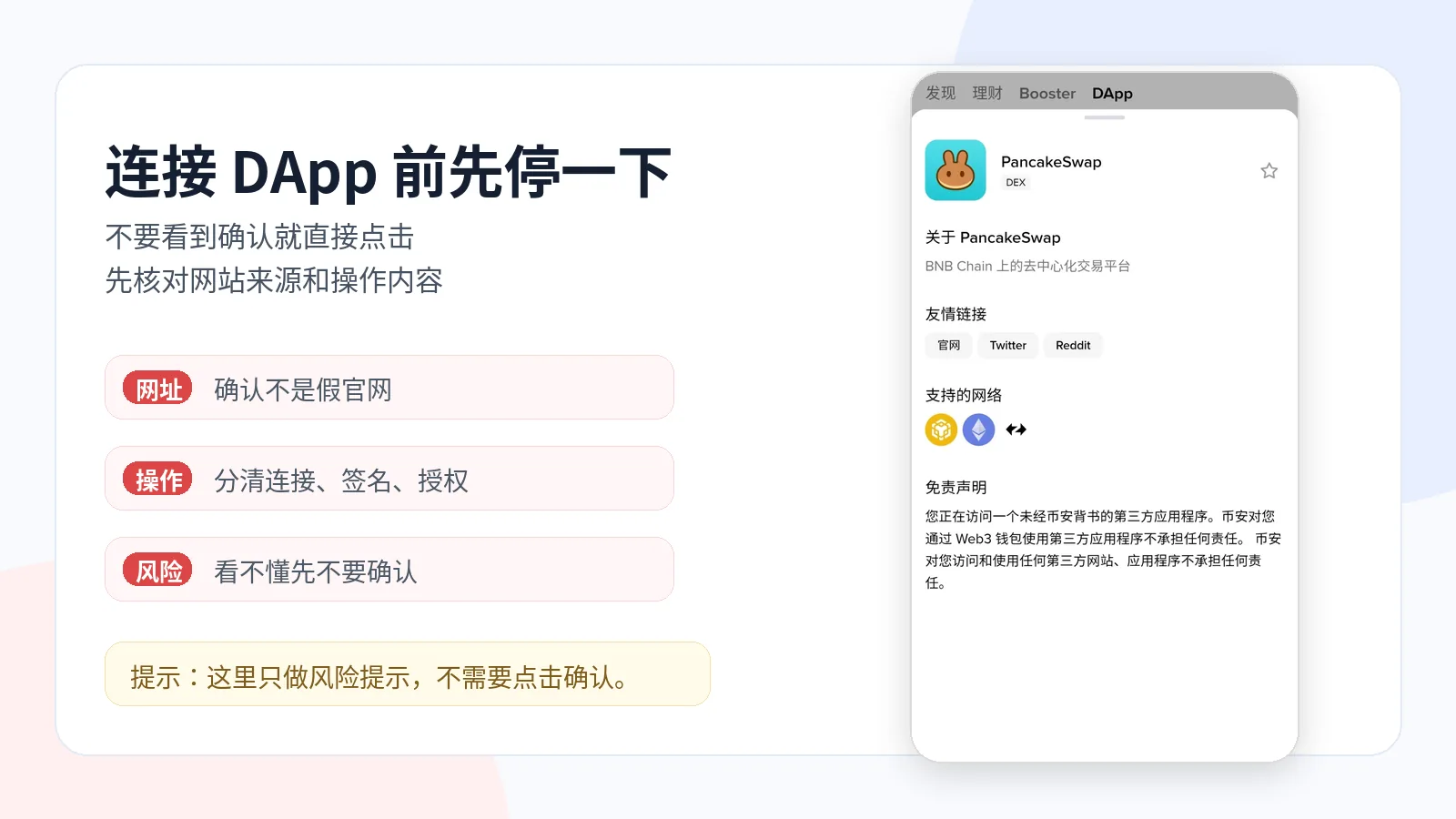
4. Approving carelessly
Many DApps pop up an approval window.
Beginners see "confirm" and click it, easily approving a malicious contract.
Approval is not login.
Approval may mean you're allowing a contract to use a certain token of yours.
If you don't understand it, don't click yet.
5. Storing the seed phrase the wrong way
Screenshots, WeChat favorites, cloud-drive storage, emailing it to yourself — none of these are safe.
The safer way is to write it down offline, store copies separately, and avoid photos and online storage.
This section can be summed up in one line:
Address, network, fee, approval and seed phrase are the five places where beginners most easily make mistakes with wallets.
7. What do I check when using a wallet myself?
Before using a new wallet or connecting to a new site, I usually do these steps:
- Confirm the wallet was downloaded from an official channel;
- Check whether the current network is the one I want;
- Check the first and last few characters after copying an address;
- Test with a small amount on the first transfer;
- Before approving, check whether it's "connect," "sign" or "approve token."
These steps feel like a hassle, but they're far less painful than fixing a wrong address or a wrong contract approval afterwards.
Many on-chain losses happen not because the technology is complicated, but because the user clicked "confirm" too quickly.
8. Some advice for beginners using wallets
First, practice with small amounts.
Don't transfer a large amount the first time.
Second, store the seed phrase offline only.
Don't screenshot it, don't upload it to cloud storage, don't send it to anyone.
Third, download wallets only from official channels.
Don't download wallets from group-chat links, ad links or unfamiliar sites.
Fourth, check the network before transferring.
Coin, address and network — all three must be confirmed.
Fifth, pause before approving.
If you don't understand the approval content, don't rush to confirm.
Sixth, don't keep long-term large assets in a single hot wallet.
You can learn cold wallets and multi-wallet layered management according to your own situation.
The Bitcoin.org wallet guide also reminds users to choose a wallet according to their needs and to value backup, security and usage habits. Although it mainly targets Bitcoin wallets, it's very useful for beginners to understand that "you should consider security and usage scenarios before choosing a wallet."
Things beginners shouldn't rush to do
When you first start using a wallet, don't immediately do these:
- Don't move a large amount of assets into a wallet the first time;
- Don't connect your wallet just because you see an airdrop link;
- Don't casually switch networks just to save fees;
- Don't screenshot your seed phrase and send it to yourself;
- Don't trust strangers who offer to "recover your wallet assets for a fee."
Learning to receive, transfer, choose networks and back up your seed phrase with small amounts matters more than rushing to try all kinds of on-chain apps.
Related reading
- What Is Crypto? Cryptocurrencies, Web3 Wallets and On-Chain Assets (2026)
- What Is a Seed Phrase? Why No One Can Help You Recover Assets If You Lose It (2026)
- How to DCA into Crypto? A Low-Effort Way to Accumulate BTC/ETH (2026)
FAQ: Common questions about crypto wallets
What is a crypto wallet?
A crypto wallet is a tool for managing on-chain addresses, assets and private keys. It doesn't store coins inside the app, but helps you manage control of your on-chain assets.
Does a wallet actually store coins?
Strictly speaking, no. Assets are recorded on the blockchain; the wallet just helps you manage addresses and control.
What is a wallet address?
A wallet address is an address that receives on-chain assets. When someone sends you coins, they need the wallet address of the corresponding network.
What if I forget my seed phrase?
If you didn't back it up, in many cases the wallet can't be recovered. A decentralized wallet usually has no support agent who can reset your seed phrase.
Can I save my seed phrase as a screenshot?
Not recommended. A screenshot may be seen through cloud sync, malware or other people. The safer way is to write it down offline and store it properly.
What's the difference between a private key and a seed phrase?
Simply put, a seed phrase can recover the wallet, while a private key controls the assets of a specific address. Both are extremely sensitive and must never be leaked.
Can I recover a stolen wallet?
If the assets have already been moved out, they're usually very hard to recover. You can try checking on-chain records, contacting the platform or reporting to the police, but don't trust strangers who offer so-called "paid recovery."
Can one wallet hold both BTC and ETH?
It depends on whether the wallet supports the corresponding networks. Some wallets support multi-chain assets, others only specific chains. Always confirm the network and address format before transferring.
Notes on the screenshots in this article
To help beginners see wallet usage scenarios more clearly, the images in this article include:
- A Web3 wallet asset homepage;
- A USDT receiving address and QR code page;
- A wallet backup security reminder page;
- A multi-network selection page;
- A DApp risk-warning page.
These screenshots are all from real wallet operation pages, used to illustrate wallet addresses, network selection, seed phrase backup and DApp risk warnings. Different wallets may update their pages, so in actual use please follow the official pages of the wallet you're currently using.
Summary: the core of a wallet is control
A crypto wallet is not an ordinary account, nor a box that stores coins.
It's more like a tool for managing control of your on-chain assets.
A wallet address receives assets.
A seed phrase recovers the wallet.
A private key controls the assets of a specific address.
A hot wallet is convenient but more exposed to network risks.
A cold wallet suits long-term custody of large assets, but has a higher barrier to use.
If you're new to crypto, you don't need to research every wallet at the start, nor rush to move all your assets into a wallet.
First learn with small amounts:
Look at the address.
Look at the network.
Back up the seed phrase.
Recognize fake sites.
Test with small amounts.
Understand approvals.
Once these basics are solid, it'll be much safer to move on to DeFi, NFTs, RWA, on-chain stocks and other Web3 applications.
Disclaimer
This article is only for basic education on crypto wallets, Web3 wallets and on-chain asset security, and does not constitute investment, financial or trading advice.
Crypto assets involve market risk, platform risk, network-security risk, contract risk, approval risk, transfer-operation risk and asset-loss risk.
Any operation involving account registration, deposits, withdrawals, transfers, wallet approvals, seed phrase backup and asset management should first confirm the official channel, and be carried out only after fully understanding the risks.
- Ethereum official wallet documentationWallets manage addresses and on-chain assets
- Ethereum Accounts developer documentationAccounts contain an address, public key and private key
- MetaMask official help centerOfficial definition of a seed phrase and its confidentiality requirement
- Ledger Academy wallet security materialsHardware wallets and private-key custody education
- Bitcoin.org wallet guideChoosing a wallet requires considering backup and security habits
- 2026-06-13UpdateInitial release covering wallet addresses, seed phrases, private keys, hot/cold wallets and DApp approvals
See ourEditorial Policy and the correction process in ourCorrections Policy.
The CoinTrailHub editorial team focuses on crypto education for beginners, exchange security and P2P trading risk. This article is compiled from official sources and public data, reviewed by humans, and strives for accuracy but is not investment advice.
Last updated:2026-06-18 · Content reviewed by humans · Learn more
© 2026 CoinTrailHub · Original content. Reproduction or rewriting without permission is prohibited.