
What is a seed phrase? Why no one can recover your assets if you lose it (2026)
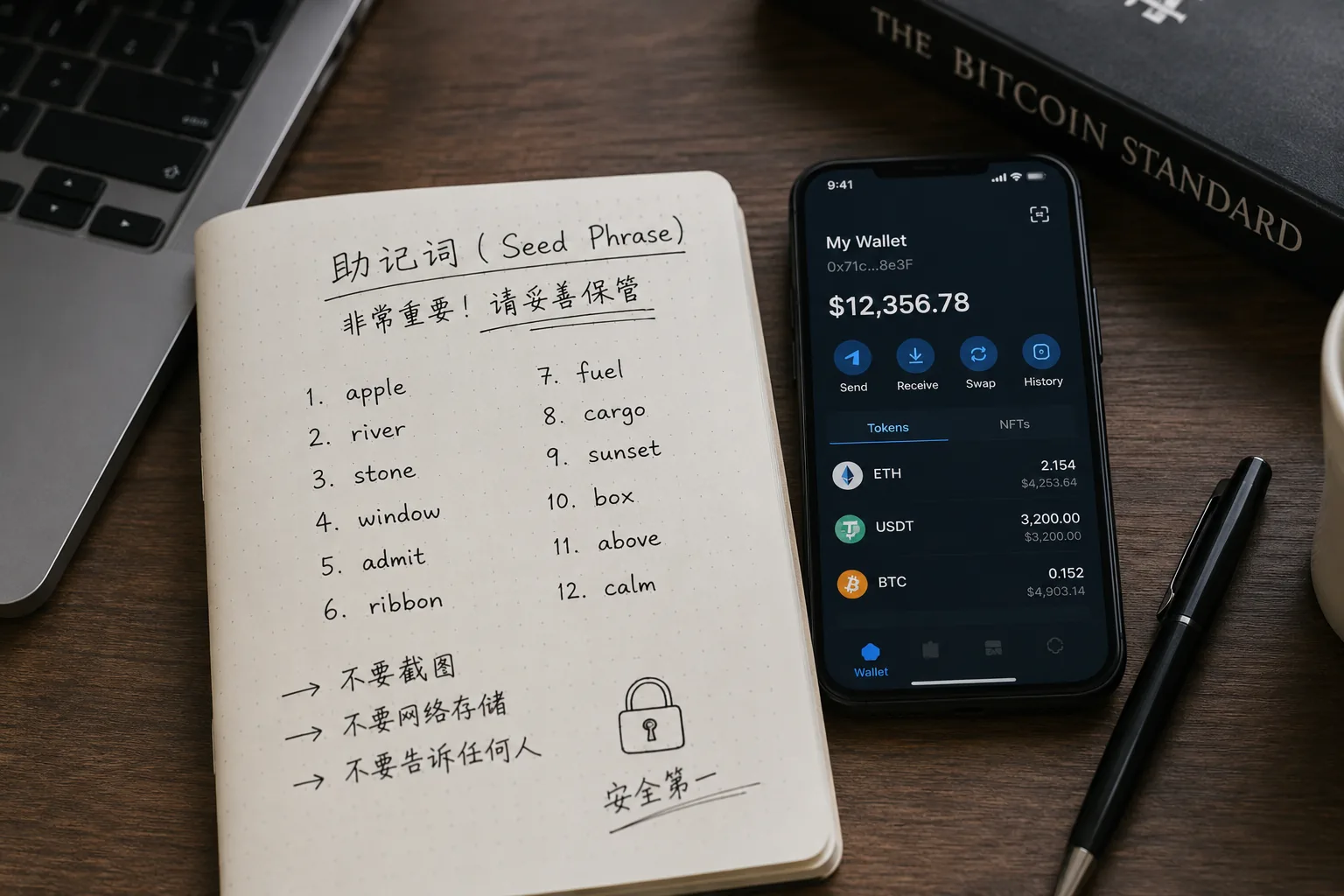
Table of contents

Binance new user rewards
20% trading fee rebate
Official Binance registration. Complete identity verification (KYC) to trade and withdraw.
Many people see a set of 12 or 24 English words the first time they create a wallet.
Wallets usually keep reminding you:
- Be sure to save your seed phrase
- If you lose your seed phrase, you cannot recover your assets
- Don't take screenshots
- Don't share it with anyone
Seeing these warnings for the first time, many beginners think they're a bit exaggerated.
It's just a few English words, right?
Why is it more important than a password?
Why can no one help you recover it once it's lost?
In fact, for on-chain assets, the seed phrase matters far more than a password.
If you forget a password, most sites still let you recover it via email.
But once a seed phrase is lost, in many cases the assets may never be recoverable.
That's why wallet security will always be one of the most important fundamentals of the Crypto world.
Note: this article is compiled from CoinTrailHub's editorial team's actual experience using Web3 wallets like MetaMask and OKX Wallet, plus public wallet-security resources. The content is for crypto security education only and does not constitute investment, financial, or trading advice.
If you're just getting started with crypto, we recommend reading this first:
What is Crypto? Cryptocurrencies, Web3 wallets, and on-chain assets (2026)
That will make it easier to understand wallets, seed phrases, and on-chain assets later.
Table of contents
- Seed phrases in 30 seconds
- The mistake I made the first time I backed up a seed phrase
- What is a seed phrase?
- Where does the seed phrase usually appear when creating a wallet?
- What's the difference between a seed phrase and a password?
- Why don't exchanges have seed phrases?
- How are a seed phrase and a private key related?
- When do you use a seed phrase?
- How to restore a wallet with a seed phrase
- Why do many people only care about the seed phrase after losing assets?
- Why can no one help you recover assets once it's lost?
- What happens if a seed phrase is leaked?
- The 9 most common wrong ways to store a seed phrase
- How to back up a seed phrase correctly
- The 5 most important takeaways about seed phrases
- FAQ
- Recommended reading
- References
Seed phrases in 30 seconds
If you're new to wallets, remember these few lines first:
- A seed phrase is not a password
- A seed phrase can restore the entire wallet
- A leaked seed phrase means leaked control over your assets
- A seed phrase cannot be reset
- Losing a seed phrase may make your assets permanently unrecoverable
Simply put:
Whoever controls the seed phrase controls the assets in the wallet.
The mistake I made the first time I backed up a seed phrase
The first time I created a wallet, the screen showed me 12 English words.
The biggest feeling at that moment wasn't nervousness — it was annoyance.
The wallet kept telling me to write them down, but my first reaction was:
"Can't I just take a screenshot?"
It was only after learning about wallet security that I realized this is one of the most common mistakes beginners make.
Because screenshots may sync to the cloud.
And a phone can leak data through malware, loss, or remote control.
Since then, I've built a habit:
after creating a wallet, write the phrase down by hand first, then double-check the word order twice.
It's a bit more hassle, but far cheaper than losing your assets.
What is a seed phrase?
A seed phrase is a set of English words generated according to specific rules.
The most common lengths are:
- 12 words
- 24 words
For example:
apple
river
stone
travel
...
(illustrative only)
These words look ordinary.
But in reality, they correspond to the cryptographic keys behind the wallet.
You can think of a seed phrase as the wallet's "recovery key."
As long as you have the correct seed phrase, you can usually restore the wallet even after switching phones, deleting the wallet app, or changing computers.
Conversely, if the seed phrase is lost and the wallet is inaccessible, the assets may be permanently unrecoverable.

According to the MetaMask Official Help Center, the seed phrase is part of the wallet's recovery information, and anyone who obtains it may be able to control the corresponding wallet's assets.[1]
Reference:
So:
a seed phrase is not a login password.
It's the wallet's "master key."
Where does the seed phrase usually appear when creating a wallet?
Many beginners create a wallet before ever reading about seed phrases.
In practice, whether it's MetaMask, Trust Wallet, OKX Wallet, or most mainstream wallets, the creation flow is quite similar.
The first time you create a wallet, the system usually:
- Generates the wallet
- Shows the seed phrase
- Asks you to back it up manually
- Verifies the word order
- Completes creation
Many wallets even keep popping up reminders:
- Don't take screenshots
- Don't share it with anyone
- Keep it safe
These reminders aren't there to drag out the process.
They're reminding you that:
The seed phrase is the final control over your wallet's assets.

If you don't yet understand the difference between a wallet address, a hot wallet, and a cold wallet, read this first:
What is a crypto wallet? Wallet addresses, seed phrases, and asset security (2026)
What's the difference between a seed phrase and a password?
This is where many beginners get confused.
Plenty of people think:
seed phrase = wallet password
In fact, they are completely different things.
| Dimension | Wallet password | Seed phrase |
|---|---|---|
| Main role | Unlocks the wallet app and protects the local device | Controls the wallet's assets themselves |
| If forgotten/lost | You can usually re-import and set a new password if you still have the seed phrase | In many cases unrecoverable once lost |
| Can it be reset | Yes, you can reset it after forgetting | No, it cannot be reset |
| If leaked | Mainly affects local unlocking | Someone else can restore, transfer, and fully control the wallet |
| Analogy | More like your house's door lock | More like the property deed |

Wallet password
A wallet password is mainly for:
- Unlocking the wallet app
- Protecting the local device
- Preventing others from opening your wallet directly
If you only forget the password but still have the seed phrase, you can usually re-import the wallet and set a new password.
Seed phrase
A seed phrase is completely different.
It controls:
the wallet's assets themselves.

Anyone who has the seed phrase can:
- Restore the wallet
- View the assets
- Transfer the assets
- Fully control the wallet
So:
a password is more like your house's door lock.
A seed phrase is more like the property deed.
Forget the door-lock password and you can still change the lock.
Lose the property deed, and the problem gets far more serious.
Why don't exchanges have seed phrases?
Many beginners wonder when they first touch wallets:
why does an exchange only need an account and password to log in, while a wallet requires you to save a seed phrase?
The reason is that the two are fundamentally different.
An exchange uses a custodial model.
The platform is responsible for safekeeping the assets and the account system.
If you forget your password, you can usually recover it via email, phone number, or customer support.
A wallet, by contrast, uses a self-custodial model.
Control over the assets rests with the user.
So a wallet won't store the seed phrase for you.
And it can't help you reset it either.
This is why many people find the seed phrase especially important when they first move from an exchange to a wallet.
How are a seed phrase and a private key related?
When learning about wallets, you'll hear another term:
private key
Many people wonder:
are a seed phrase and a private key the same thing?
The answer is:
no.
But the two are closely related.
The seed phrase is the wallet's top-level recovery information.
The system derives the private key from the seed phrase, and then derives the wallet address from the private key.[2]
So even if you've never touched a private key, as long as you have the correct seed phrase, you can usually restore the entire wallet.
If you don't yet understand the relationship between private keys, addresses, and on-chain assets, read this first:
What is blockchain? Principles, uses, and risks (2026)
Ethereum's official wallet docs also note that wallet recovery information and private key management are an important part of on-chain asset security:
https://ethereum.org/en/wallets/
When do you use a seed phrase?
Many beginners have a misconception:
after creating a wallet, will I never use the seed phrase again?
Actually, no.
You'll need the seed phrase in situations like:
- Switching phones
- Switching computers
- Uninstalling the wallet app
- Losing your phone
- Importing onto a new device
- Restoring the wallet

As long as you have the correct seed phrase, you can restore the wallet on a new device.
So:
a seed phrase is more like proof of asset ownership.
You may not use it day to day.
But when you truly need it, it's often the only way to recover your assets.
How to restore a wallet with a seed phrase
Many beginners ask when they first see a seed phrase:
"What are these words actually for?"
In fact, the seed phrase's biggest role is restoring the wallet.
For example:
- Your phone is lost
- You switch to a new phone
- The wallet app is deleted
- Your computer breaks
- You need to log into the wallet on a new device
All of these may require the seed phrase.
The recovery flow is usually similar:
- Download the wallet app
- Choose "Import wallet" or "Restore wallet"
- Enter the seed phrase
- Set a new wallet password
- Finish restoring

As long as the seed phrase is correct, the assets in the wallet can usually still be recovered even after a device change.
So many wallet users almost never use the seed phrase day to day.
But when they truly need it, it's often the only way to recover assets.
The first asset many beginners recover is actually USDT.
If you don't yet understand USDT, read this first:
What is USDT? Tether's uses and risks (2026)
Why do many people only care about the seed phrase after losing assets?
When first touching wallets, many people think a seed phrase is "making a fuss over nothing."
After all, when logging into websites and apps, all you need is an account and password.
So when a wallet asks you to write down 12 words by hand, many people's first reaction is:
"I'll just screenshot it and sort it out later."
But that's exactly where the trouble starts.
Over the past few years, many wallet-asset loss cases weren't caused by sophisticated hacking.
They were caused by users who:
- Didn't back up the seed phrase carefully
- Couldn't open the wallet after their phone broke
- Couldn't find the seed phrase when switching devices
- Accidentally deleted the wallet app
- Mistakenly thought a password could recover assets
Only when they truly needed to restore the wallet did they realize those ordinary-looking English words were gone.
For an exchange account, you can usually contact support if you forget the password.
But for a decentralized wallet, if the seed phrase is lost and the wallet is also inaccessible, the assets very likely cannot be recovered.
That's why many long-time users say:
The most valuable thing in a wallet isn't the coins — it's the seed phrase.
Why can no one help you recover assets once it's lost?
This is one of the hardest things for beginners to understand.
In the real world:
- A lost bank card can be replaced
- A forgotten app password can be recovered
- A locked email can be unlocked via support
But a wallet is different.
Because a wallet is essentially:
a decentralized asset-management tool.
There's no customer support that can reset your seed phrase.
And no official body that can restore your wallet.
If all of these happen at once:
- Your phone breaks
- The wallet is uninstalled
- The seed phrase is lost
then the assets in the wallet very likely cannot be recovered.
This isn't because the wallet company is unwilling to help.
It's because it has no ability to help you recover.
Because the seed phrase only exists in your own hands.

What happens if a seed phrase is leaked?
If losing a seed phrase is a risk.
Then leaking a seed phrase is even more dangerous.
Because:
after it's lost, the assets are still there.
After it's leaked, the assets may disappear directly.
Anyone who has the seed phrase can:
- Import the wallet
- View the assets
- Initiate transfers
- Fully control the wallet
And this process usually doesn't need the original holder's consent.
Many beginners get their assets stolen not because the hacker was sophisticated.
But because they willingly handed over the seed phrase themselves.
For example:
- A fake support agent asks for the seed phrase
- A fake airdrop site asks you to enter the seed phrase
- A fake wallet asks you to import the seed phrase
- A fake "teacher" offers to "check your account"

Important reminder
A seed phrase is the wallet's highest-privilege information.
No matter whether the other party calls themselves support, an admin, a project team member, or an investment teacher, stop communicating the moment they ask for your seed phrase.
Legitimate wallets and exchanges never proactively ask for your seed phrase.
If your assets get transferred to the wrong address, follow-up recovery is usually very difficult.
For more on network selection, wallet addresses, and what to do after sending to the wrong network, see: Sent to the wrong network? Withdrawal networks and wallet addresses (2026)
The 9 most common wrong ways to store a seed phrase
I've seen all of the following.
Many of them are the easiest pitfalls for beginners to fall into.

Mistake 1: Taking a phone screenshot
This is the most common mistake.
Many people think screenshots are the most convenient.
But a phone can be:
- Infected with malware
- Lost
- Auto-syncing to the cloud
Once it leaks, the risk is extremely high.
Mistake 2: Saving it in a chat app
Some people send the seed phrase to themselves.
Then favorite or bookmark it.
This is still risky.
Because if the account is compromised, the seed phrase may also be exposed.
Mistake 3: Using a chat app's file-transfer feature
The principle is similar to the previous one.
It's not a good long-term backup solution.
Mistake 4: Saving it in an email draft
Many people like to store the seed phrase in email.
This is very dangerous.
Once the email is leaked.
The wallet may also be affected.
Mistake 5: Syncing to a cloud drive
Whether it's:
- Google Drive
- OneDrive
- Dropbox
none of them are recommended for storing a plaintext seed phrase.
Mistake 6: Saving it in a computer note file
Computer malware isn't a low-probability event.
Especially when you download various software.
The risk is even higher.
Mistake 7: Keeping it in chat history
Chat apps have never been a safe for seed phrases.
Mistake 8: Telling a friend to keep it for you
Your assets are your own.
Your seed phrase should be kept by you, too.
Don't ignore the risk just because you trust someone.
Mistake 9: Sending it to a so-called support agent
This is one of the most common scam patterns.
Remember:
No legitimate wallet, exchange, or support agent will ever ask for your seed phrase.
If anyone asks for it.
Just refuse directly.
How to back up a seed phrase correctly
For most beginners.
The simplest method is also the most effective one.

Method 1: Write it down by hand
Copy the seed phrase down completely.
Keep it in a safe place.
Don't keep only one copy.
Method 2: Off-site backup
If you hold a large amount of assets.
Consider:
- Keeping one copy at home
- Keeping one copy in another safe location
to avoid accidents like fire or water damage.
Method 3: Use a metal seed phrase backup tool
Some long-term holders use metal backup tools.
These are easier to preserve even in extreme situations like fire.
Bitcoin.org's wallet security guide likewise advises users to back up their wallet recovery information properly and avoid single-point storage.[3]
Reference:
https://bitcoin.org/en/choose-your-wallet
The 5 most important takeaways about seed phrases
If you only remember five things after reading this whole article.
I hope it's these:
- A seed phrase is not a password
- A seed phrase can restore the entire wallet
- A leaked seed phrase means leaked control over your assets
- A seed phrase cannot be reset
- Losing a seed phrase may make your assets permanently unrecoverable
FAQ
Is a seed phrase the same as a wallet address?
No.
A wallet address is for receiving funds.
A seed phrase is for restoring the wallet.
The two serve completely different purposes.
Can a seed phrase be changed?
Usually not.
If you're worried your seed phrase has leaked.
The more common approach is to create a new wallet and transfer the assets over.
What should I do after a seed phrase is leaked?
Create a new wallet right away.
Then transfer the assets to the new address.
Don't keep using a seed phrase that has already been leaked.
What if I forget my seed phrase?
If the wallet can still be opened normally.
Back it up immediately.
If the wallet is already gone and the seed phrase is missing too.
The assets may be unrecoverable.
Can I store a seed phrase as a screenshot?
Not recommended.
Screenshots may sync to the cloud, or leak through a lost or infected device.
Can I store a seed phrase as a photo?
Also not recommended.
A photo is still essentially digital storage.
The risk is similar to a screenshot.
How do I restore a wallet after switching phones?
Install the wallet on the new device, choose "Import wallet" or "Restore wallet," and enter the correct seed phrase to restore it.
Recommended reading
- How to prevent wallet theft? Seed phrases, wrong-network transfers, and authorization risks (2026)
- What is a cold wallet? How to store a seed phrase most safely (2026, 5 methods compared)
What is Crypto? Cryptocurrencies, Web3 wallets, and on-chain assets (2026)
What is blockchain? Principles, uses, and risks (2026)
What is USDT? Tether's uses and risks (2026)
What is a crypto wallet? Wallet addresses, seed phrases, and asset security (2026)
Sent to the wrong network? Withdrawal networks and wallet addresses (2026)
References
MetaMask Official Help Center https://support.metamask.io/
Ethereum Official Wallet Docs https://ethereum.org/en/wallets/
Bitcoin.org Wallet Security Guide https://bitcoin.org/en/choose-your-wallet
Data verification notes
The key facts in this article were verified on 2026-10-16 against MetaMask, Ethereum, and Bitcoin.org official materials, item by item as follows:
- Seed phrase = wallet control: the seed phrase is part of the wallet's recovery information, and anyone who obtains it may be able to control the corresponding wallet's assets. Source: MetaMask Official Help Center.
- Seed phrase and private key: the system derives the private key from the seed phrase and then derives the wallet address from the private key; having the seed phrase lets you restore the entire wallet. Source: Ethereum Official Wallet Docs.
- Backup principle: back up your wallet recovery information properly and avoid single-point storage. Source: Bitcoin.org Wallet Security Guide.
Summary
For on-chain assets, a seed phrase is not an ordinary password.
It's more like the final control over your wallet's assets.
If you're just getting started with crypto, remember these three things:
- Don't store your seed phrase as a screenshot
- Don't tell your seed phrase to anyone
- Don't keep only one copy of your seed phrase
Many asset-loss incidents aren't caused by technical problems, but by poor seed phrase management.
So learning to protect your seed phrase is itself the most important lesson in wallet security.
Whoever controls the seed phrase controls the assets in the wallet.
- MetaMask Official Help CenterThe seed phrase is part of wallet recovery info; anyone who obtains it may be able to control the wallet
- Ethereum Official Wallet DocsThe seed phrase generates private keys and addresses; private key management
- Bitcoin.org Wallet Security GuideBack up properly and avoid single-point storage
- 2026-10-16UpdateAdded evidence-chain superscripts and "Data verification notes"; updated the key-fact verification date.
See ourEditorial Policy and the correction process in ourCorrections Policy.
The CoinTrailHub editorial team focuses on crypto education for beginners, exchange security and P2P trading risk. This article is compiled from official sources and public data, reviewed by humans, and strives for accuracy but is not investment advice.
Last updated:2026-06-19 · Content reviewed by humans · Learn more
© 2026 CoinTrailHub · Original content. Reproduction or rewriting without permission is prohibited.