
Sent crypto to the wrong network? Withdrawal network and wallet address (2026)
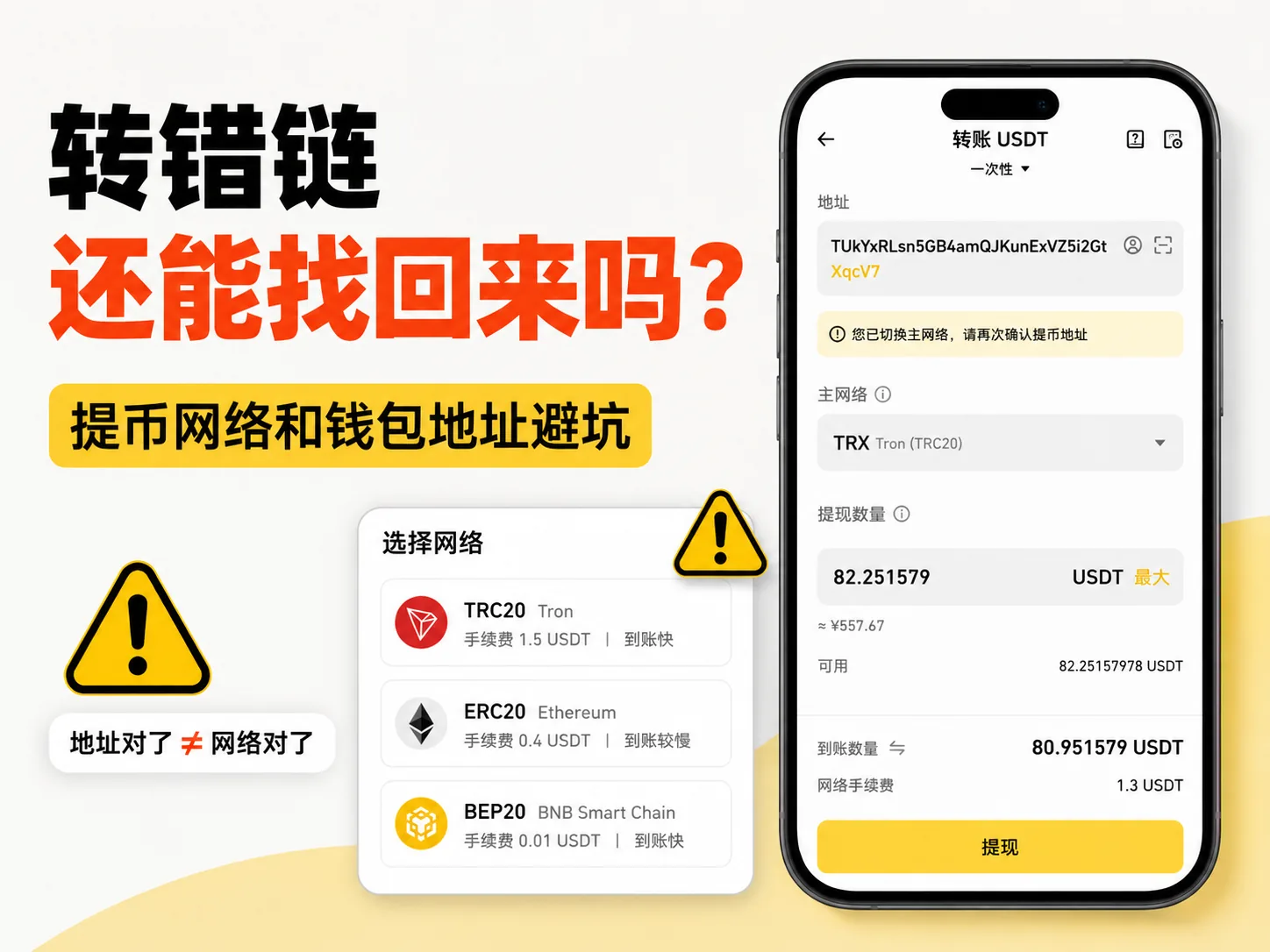
Table of contents

Binance new user rewards
20% trading fee rebate
Official Binance registration. Complete identity verification (KYC) to trade and withdraw.
Sending to the wrong network doesn't necessarily mean your funds are gone.
Whether you can recover them mostly depends on three things:
- Where the assets actually went
- Whether you control that address
- Whether the receiving platform supports the network you picked
The situations below can help you assess your case quickly.
Situation 1: Sent to your own wallet
Recovery chance: high
If you control the wallet and have the seed phrase or private key, switch to the correct network and check whether the assets show up.
Situation 2: Sent to an exchange address that supports the network
Recovery chance: medium
Save the TxID, screenshots, address, amount, and network, then contact the exchange's official support for review.
Situation 3: Sent to an exchange address that doesn't support the network
Recovery chance: low
You can submit an asset recovery request, but whether it gets processed depends on platform rules, network support, and manual review.
Situation 4: Sent to an unknown, wrong, or contract address
Recovery chance: very low
Look up the TxID on a block explorer to confirm where the assets went and whether that address can still be controlled.
| Where the funds went | Recovery chance | What to do |
|---|---|---|
| Your own wallet | High | Switch to the correct network and check if assets show up |
| Exchange address (supports that network) | Medium | Save TxID, screenshots, address, amount, and network; contact official support |
| Exchange address (doesn't support that network) | Low | Submit an asset recovery request; depends on platform rules and manual review |
| Unknown / wrong / contract address | Very low | Look up TxID on a block explorer; confirm destination and whether the address is controllable |
If you sent to your own wallet and you hold the seed phrase or private key, there's usually room to fix things.
If you sent to an exchange address, it depends on whether the exchange supports that network and whether it offers asset recovery.
If you sent to an unknown, wrong, or contract address, recovery becomes very hard.
Many beginners get stuck on the "network selection" step the first time they withdraw USDT.
It's all USDT — so why do you have to pick ERC20, TRC20, or BEP20?
You copied the wallet address correctly, so why does the exchange show "withdrawal successful" while your wallet shows nothing?
The problem is usually this:
A correct address doesn't mean a correct network.

This guide explains withdrawal networks, wallet addresses, wrong-network transfers, and recovery in beginner-friendly terms.
This article is for Crypto basics education only and does not constitute investment, financial, or trading advice. Once an on-chain transfer is confirmed, it often cannot be reversed. This article does not promise that any assets can be recovered; the actual outcome depends on your wallet, the exchange, and on-chain records.
30-second summary
If you're new, remember these points first:
- A correct wallet address doesn't mean the network is correct
- USDT can exist on many different networks
- When withdrawing, the sending and receiving networks must match
- The same 0x address can appear on multiple EVM chains
- Whether a wrong-network transfer is recoverable depends on where the assets went
- For your first withdrawal, test with a small amount first
Simply put:
A wallet address is like the recipient.
A withdrawal network is like the delivery route.
A correct recipient with a wrong route can still cause problems.
If you're still unsure about the difference between holding USDT on an exchange vs. in a wallet, read this first:
USDT on an exchange or in a wallet: where should you keep it? (2026)
First, an important note: this article can't recover your assets
This article can only help you understand the general direction. It can't reverse an on-chain transaction for you, and it can't guarantee that an exchange will recover your funds.
If your assets went to an exchange deposit address, whether it can be handled depends on whether the exchange supports that network, whether it's willing to process it manually, and whether you can provide a complete TxID and screenshots.
If someone contacts you claiming they can "100% recover" your funds, use an "internal channel" to unfreeze them, or asks you to "pay a processing fee first," be extremely cautious.
When you need to recover assets, only submit information through the exchange app, official website, official ticket system, or the wallet's official help center.
If you've already sent to the wrong network, start here
If you've already sent to the wrong network, stop first.
Don't make a second transfer, and don't look for "support" in random groups.
Follow the steps below in order.
1. Save the TxID
The TxID is also called a transaction hash.
Think of it as the tracking number for an on-chain transfer.
You'll need it whether you look up the block explorer or contact exchange support.
Save the following:
- TxID
- Withdrawal time
- Withdrawal amount
- Withdrawal network
- Receiving address
- Exchange withdrawal record screenshot
This information is far more useful than asking "what do I do?" in a group chat.
2. Don't keep trial-and-error testing
Many beginners see the first transfer didn't arrive and immediately send another test transfer.
This is dangerous.
If the first transfer failed because of a wrong network, sending a second one the same way will likely fail too.
First figure out where the first transfer actually went, then decide your next step.
3. Look up the transaction on a block explorer
If you know which chain you selected, look it up on the matching explorer.
For example:
- Ethereum: use Etherscan
- Tron: use Tronscan
- BNB Smart Chain: use BscScan
- Polygon: use Polygonscan
- Arbitrum: use Arbiscan
If you're not sure which chain it is, use a multi-chain explorer like OKLink to look up the address or TxID.[1]
Check three things:
- Whether the transaction succeeded
- Which address the assets went to
- Which network was used
4. Determine whether you control the address
This is the most important step.
If the address is your own wallet and you have the seed phrase or private key, there's still room to fix it.
If the address is an exchange deposit address, you can't operate it directly — you can only contact the exchange's official support.
If the address is neither yours nor the exchange's, recovery becomes very difficult.
5. Only use official channels
The only people who can actually help with exchange deposit issues are official support in the exchange app, website, or ticket system.
Not Telegram DMs.
Not group-chat admins.
Not people who message you first on Discord.
If anyone asks for your seed phrase, private key, verification code, or remote-control access, be suspicious.
For seed-phrase related risks, see:
What is a seed phrase? Why no one can help you recover your assets if you lose it (2026)
Table of contents
- What is a wrong-network transfer?
- What's the difference between an address and a network?
- Why does USDT have different networks?
- How to understand common networks
- Why does the same 0x address appear on different chains?
- Which situations might be recoverable?
- Which situations are hard to recover?
- What to do after a wrong-network transfer
- How to avoid a wrong-network transfer before withdrawing
- FAQ
- Summary
What is a wrong-network transfer?
A wrong-network transfer simply means you selected the wrong blockchain network when withdrawing.
For example:
You want to withdraw USDT to a platform.
The platform asks you to deposit via the TRC20 network.
But when withdrawing on the exchange, you selected BEP20.
That's a network mismatch.
Another case:
Your wallet address starts with 0x.
You assume that as long as the address matches, it's fine.
But you withdrew USDT from Ethereum to BNB Chain, or from BNB Chain to Arbitrum.
The address looks the same, but the assets actually landed on a different chain.
This is the most common confusion for beginners.
If you haven't fully understood what USDT is, read:
What is USDT? Uses and risks of Tether (2026)
What's the difference between an address and a network?
Beginners can think of it this way:
Wallet address = delivery location.
Withdrawal network = delivery route.
Imagine shipping a package.
You wrote the recipient's address correctly, but chose the wrong delivery route — the package might not arrive where you expected.
On-chain transfers follow similar logic.
When withdrawing, don't only check the address — check the network too.
A complete transfer check should be:
- Is the coin correct?
- Is the wallet address correct?
- Is the withdrawal network correct?
- Does the recipient support this network?
Confirm all four.
Missing any one of them can cause problems.
If you don't yet understand the relationship between wallet address, seed phrase, and private key, read this wallet basics guide first:
What is a crypto wallet? Wallet address, seed phrase, and asset security (2026)
Why does USDT have different networks?
USDT doesn't exist on only one chain.
It can be issued on many different blockchain networks.
Common ones include:
- Ethereum / ERC20
- Tron / TRC20
- BNB Smart Chain / BEP20
- Arbitrum
- Base
- Polygon
- Solana
- TON
So the USDT you see isn't necessarily on the same chain.
The same USDT:
ERC20 USDT lives on the Ethereum network.
TRC20 USDT lives on the Tron network.
BEP20 USDT lives on the BNB Smart Chain network.
They're all called USDT, but they're on different networks.
That's why you must select a network when withdrawing.
For USDT issuance, reserves, and transparency, see the Tether official transparency page.[2]
How to understand common networks
Many beginners get confused by ERC20, TRC20, and BEP20.
You don't need to memorize technical definitions up front.
Just know that they represent different networks.

ERC20
ERC20 usually refers to the token standard on the Ethereum network.
Many wallets and DApps support ERC20.
But Ethereum network fees can sometimes be high.
For Ethereum wallet basics, see the Ethereum.org wallet guide.[3]
TRC20
TRC20 usually refers to the token standard on the Tron network.
Many people use TRC20 for USDT because it's fast and has relatively low fees.
But only if the recipient supports the Tron network.
If the recipient doesn't support it, low fees don't matter.
BEP20
BEP20 usually refers to the token standard on BNB Smart Chain.
It's common in the Binance ecosystem.
Fees are usually low.
But it's not the Ethereum mainnet.
Some beginners see BEP20's cheap fees and pick it directly, only to find the receiving platform supports only ERC20 — ending with a support request.
This isn't a case of remembering the wrong technical term; it's a case of choosing the wrong network.
If you're withdrawing through Binance, you may also want to familiarize yourself with the exchange basics:
Binance registration guide (2026)
Base, Arbitrum, Polygon
These networks also usually use 0x addresses.
But they aren't the Ethereum mainnet.
Even if the address format is the same, you must confirm whether the recipient supports the corresponding network.
Why does the same 0x address appear on different chains?
This is the most misunderstood point for beginners.
Many wallet addresses start with 0x.
For example:
0x1234...abcd
This address could appear on:
- Ethereum
- BNB Chain
- Polygon
- Arbitrum
- Base
The reason is that these are all EVM-compatible chains, and address formats can be the same.
But the same address format doesn't mean it's the same chain.
Think of it this way:
The house number looks the same.
But the city is different.
If you sent assets to the wrong city, you may not see them where you expected.
So:
Same 0x address doesn't mean same network.
Always confirm the receiving network when withdrawing.
You can use block explorers like OKLink, Etherscan, or BscScan to check the same address's records on different chains.
Which situations might be recoverable?
The following situations still have some chance.
But note:
A chance doesn't mean it's guaranteed.

1. Sent to a wallet address you control
If you sent USDT to your own wallet address but just picked the wrong network, you might be able to see the assets by adding the correct network.
For example:
You thought you were withdrawing via ERC20.
But it actually went to BNB Chain.
If you control the wallet address and hold the seed phrase or private key, you can try switching to or adding BNB Chain in your wallet.
If the token doesn't show automatically, try manually adding the token contract.
But when adding a contract, don't copy an address sent by a stranger.
MetaMask's official help docs note that adding a custom token requires filling in the token contract address, which you can find via a block explorer or a trusted token-info site.[4] See:
MetaMask: How to display tokens in MetaMask
And:
MetaMask: How to find a token contract address
So the safer approach is:
Get the contract address from the project's official site, official docs, or trusted block explorers like Etherscan, BscScan, or OKLink.
Don't use contract addresses or links sent via stranger DMs.
And never give your seed phrase or private key to anyone.
MetaMask's official security docs also warn you not to share your Secret Recovery Phrase or private key with anyone, including people claiming to represent the official team.[5] See:
MetaMask: Basic safety and security tips
2. Sent to an address the exchange supports
If you withdrew to an exchange deposit address but picked the wrong network, it depends on whether the exchange offers manual recovery.
Some exchanges may provide asset recovery services.
But there are usually a few caveats:
- May not support all networks
- May require manual review
- May charge a fee
- May take a long time
- May ultimately fail
In this case, contact the exchange's official support immediately.
If you use OKX, you may also want to familiarize yourself with basic account and security settings:
3. The receiving platform later added support for that network
Sometimes the network you used wasn't supported by the platform at the time.
But it added support later.
In these cases, there may be a chance the assets show up.
But don't rely on this.
You can't know when the platform will add support, or whether it will credit automatically.
Which situations are hard to recover?
The following situations are riskier.
1. Sent to an address that isn't yours
If the address isn't one you control and isn't an exchange account address — it's a stranger's address — recovery is usually very hard.
On-chain transfers have no "undo button."
If the other party doesn't return the funds, you basically can't control the outcome.
2. Sent to a contract address
If you sent assets to a contract address that can't receive them, recovery can be extremely difficult.
Some contracts have no withdrawal function.
Some contracts have no one who can operate them.
These cases are usually very troublesome.
3. You don't hold the seed phrase or private key
If you sent to a wallet address but you don't have the seed phrase or private key, you can't control that address.
Many beginners think "the address is mine," but it's actually just a deposit address a platform gave them.
A deposit address is not your private-key address.
You can't freely import or control it.
4. The networks are completely incompatible
Some chains differ greatly in address format, asset standard, and wallet support.
For example, sending one chain's assets into a completely incompatible environment makes recovery much harder.
In these cases, you have to judge based on the specific transaction hash and platform support.
What to do after a wrong-network transfer
If you've already sent to the wrong network, don't panic, and don't click random links.
Follow these steps.
Step 1: Stop transferring
If you picked the wrong network the first time, sending again only increases the loss.
If it didn't arrive, find out why first.
Don't send another transfer right away.
Step 2: Find the TxID
After withdrawing on an exchange, you'll usually get a TxID, also called a transaction hash.
It's the unique record of an on-chain transaction.
Save the following:
- TxID
- Withdrawal coin
- Withdrawal network
- Withdrawal address
- Withdrawal amount
- Withdrawal time
You'll need all of this when contacting support or looking things up later.
Step 3: Look it up on a block explorer
Depending on the network you selected, look it up on the matching block explorer.
Common tools include:
If you're not sure which chain it is, use a multi-chain explorer like OKLink to look up the address or TxID.
Via a block explorer, you can confirm:
- Whether the transaction succeeded
- Which address the assets went to
- Which network was used
- Whether they've already been moved out

Step 4: Determine who controls the address
This is the most important step.
If the address is your own wallet and you have the seed phrase or private key, try adding the corresponding network to view the assets.
If the address is an exchange deposit address, contact the exchange's official support.
If the address is a stranger's, recovery is very unlikely.
Step 5: Prepare your materials before contacting official support
If your assets went to an exchange address and you suspect a wrong network, prepare your materials before contacting support.
It's a good idea to have:
- TxID / transaction hash
- Screenshot of the sending platform
- Receiving address
- Coin name
- The withdrawal network you selected
- Transfer time
- Transfer amount
- Deposit page screenshot
- Withdrawal confirmation page screenshot
The most important of these is the TxID.
Without a TxID, it's hard for the platform to confirm where the transaction happened.
If support asks for more information, only submit it through the exchange app, official website, or official ticket system.
How to avoid a wrong-network transfer before withdrawing
Contacting support after a mistake is a hassle.
So double-checking before withdrawing matters more than fixing things afterward.
1. Check what network the recipient supports first
Don't pick randomly on the exchange first.
Open the receiving platform or wallet.
Check which deposit network it supports.
For example, if the recipient only supports TRC20, don't select ERC20 or BEP20 on the exchange.

2. Then go back to the exchange and select the same network
Remember:
Whatever network the recipient shows, select that network.
Not whichever is cheaper.
Not whichever is faster.
Not whichever name is more familiar.
But whatever the recipient supports.
If you just bought USDT and aren't sure whether to keep it on the exchange or in a wallet, read:
USDT on an exchange or in a wallet: where should you keep it? (2026)
3. Check the first and last few characters of the address
After copying the address, at least check:
- The first 6 characters
- The last 6 characters
Some malware replaces clipboard addresses.
So don't just copy without checking.

4. Test with a small amount first
The first time you withdraw to an address, don't send a large amount.
Test with a very small amount first.
After confirming it arrives, decide whether to send more.
A small test isn't a wasted fee.
It's lowering the cost of a mistake.
5. Save screenshots and the TxID
After every withdrawal, save:
- Withdrawal page screenshot
- Network selection screenshot
- Transaction hash
- Arrival record
You may not need them normally, but they're crucial when something goes wrong.
The 6 most common beginner mistakes
Mistake 1: Only looking at USDT, not the network
Many people assume that since it's all USDT, they can transfer directly.
But USDT can exist on different networks.
Only checking the coin and not the network is one of the most common mistakes.
Mistake 2: Only checking whether the address matches
The same 0x address can appear on multiple chains.
A matching address doesn't mean a matching network.
Mistake 3: Only picking the cheapest network
Low fees don't always mean it's right for you.
Some beginners see BEP20 or TRC20's low fees and pick them directly.
But if the recipient doesn't support it, it ends up being more trouble.
Mistake 4: Sending a large amount the first time
The first withdrawal should be a small test.
Not the whole amount at once.
Mistake 5: Sending a second transfer when it doesn't arrive
When it doesn't arrive, find out why first.
Don't repeat the same mistake.
Mistake 6: Trusting fake support to recover your funds
After a wrong-network transfer, scammers love to impersonate support.
If anyone asks for your seed phrase, verification code, or remote-control access, be suspicious.
A simple way to judge
You can use this question to judge:
Who controls this address?
If it's your own wallet and you have the seed phrase, there's relatively more room to fix it.
If it's an exchange address, contact the exchange's official support.
If it's a stranger's address, recovery is very unlikely.
If it's a contract address, it depends on whether the contract supports withdrawals — usually very troublesome.
Most of the time, the question isn't "can the chain recover it?"
It's "do you have permission to operate that address?"
FAQ
Does sending to the wrong network always mean losing your funds?
Not necessarily.
If you sent to your own wallet and you control the address, in some cases you can see the assets by switching networks or adding the token.
If you sent to an exchange address, it depends on whether the exchange can process it.
If you sent to a wrong or unknown address, it's very hard.
I filled in the right address but the wrong network — why didn't it arrive?
Because the address is only the receiving location.
The network is the chain the assets actually travel on.
If the address is right but the network doesn't match, the receiving platform may not recognize the deposit.
Can USDT sent via ERC20 instead of BEP20 be recovered?
It depends on who controls the receiving address.
If it's your own wallet address, you might be able to see it by switching to BNB Chain.
If it's an exchange address, you can only contact exchange support.
If it's a stranger's address, it's usually very hard to recover.
Can the same 0x address receive coins on different chains?
Many EVM chains can use the same 0x address format.
But that doesn't mean you can freely transfer across chains.
You still need to confirm the recipient supports the corresponding network.
I sent to my own wallet but can't see the assets — what do I do?
First confirm which network you actually selected.
If it's an EVM network, try switching networks or manually adding the token contract.
When adding a token contract, get the contract address from the project's official site, official docs, or trusted block explorers like Etherscan, BscScan, or OKLink.
Don't use contract addresses or links sent via stranger DMs.
MetaMask's official help docs also explain that if a token doesn't show automatically, you can manually add the token contract address via "Custom token."
What if I sent to a network the exchange doesn't support?
Save the TxID, screenshots, address, amount, and network info.
Then submit a request through the exchange's official support or ticket system.
Whether it can be recovered depends on the exchange's rules.
What is a TxID?
A TxID is the unique identifier of an on-chain transaction.
You can use it to check the transaction status on a block explorer, or submit it to support to review a deposit issue.
What's the safest way to make a first withdrawal?
Test with a small amount first.
After confirming it arrives, send more.
Don't send a large amount the first time.
Recommended reading
USDT on an exchange or in a wallet: where should you keep it? (2026)
Understand the difference between holding USDT on an exchange vs. in a wallet before deciding to withdraw.
What is a crypto wallet? Wallet address, seed phrase, and asset security (2026)
Learn the basics of wallet addresses, seed phrases, hot wallets, and cold wallets.
What is a seed phrase? Why no one can help you recover your assets if you lose it (2026)
The seed phrase is the core of wallet security — every beginner should learn to protect it.
What is USDT? Uses and risks of Tether (2026)
Learn USDT's uses, common networks, and basic risks.
USDT vs USDC: what's the difference, which is safer, and how to choose (2026)
USDC also runs on Ethereum, Base, Arbitrum, Solana, Polygon and other networks — before transferring, confirm the recipient and withdrawal network match.
Content updates and limitations
Last updated: June 2026.
This article explains withdrawal networks, wallet addresses, and how to troubleshoot wrong-network transfers. Different exchanges, wallets, and blockchain networks may have different handling rules, and recovery channels, fees, and review times may change.
Before acting, follow what the exchange app, the wallet's official docs, and the block explorer show.
References
- Tether Transparency
- MetaMask: How to display tokens in MetaMask
- MetaMask: How to find a token contract address
- MetaMask: Basic safety and security tips
- Ethereum Wallets
- OKLink block explorer
- Etherscan
- Tronscan
- BscScan
- Arbiscan
- Polygonscan
Data verification
Key facts in this article were verified on 2026-10-16 against OKLink, Tether, Ethereum, and MetaMask official sources, as follows:
- On-chain lookup tools: You can look up an address or TxID via block explorers like OKLink. Source: OKLink block explorer.
- USDT multi-chain issuance: USDT can be issued on multiple blockchain networks; issuance, reserves, and transparency are per Tether's official transparency page. Source: Tether official transparency page.
- Wallet basics: What Ethereum wallets do, how to use them, and security guidance. Source: Ethereum official wallet guide.
- Adding custom tokens: Adding a custom token requires filling in the token contract address, which can be found via block explorers or trusted token-info sites. Source: MetaMask "How to display tokens in MetaMask".
- Seed phrase / private key security: Never share your Secret Recovery Phrase or private key with anyone, including people claiming to represent the official team. Source: MetaMask "Basic safety and security tips".
About the author
The CoinTrailHub editorial team has long focused on Crypto beginner education, exchange usage, wallet security, and on-chain transfer risk, with roughly 8 years of crypto-industry experience.
This article combines public sources, real wallet interfaces, block-explorer lookup workflows, and common beginner questions to help newcomers understand withdrawal networks, wallet addresses, wrong-network transfer risk, and basic troubleshooting.
This article is for Crypto basics education and transfer-safety education only and does not constitute investment, financial, or trading advice. Readers should judge independently based on their own situation and bear the associated risks.
Summary
Whether a wrong-network transfer can be recovered can't be answered in one sentence.
If your assets are still in a wallet address you control, there's usually room to fix it.
If they went to an exchange address, it depends on whether the platform supports that network and asset recovery.
If they went to a wrong, unknown, or contract address, the risk is much higher.
For beginners, the most important thing isn't memorizing every chain's name.
It's remembering this:
Check the address and the network together.
Spending one extra minute before withdrawing — confirming the receiving network, checking the address, and testing with a small amount — is far easier than spending days or weeks chasing support after a mistake.
- OKLink block explorerMulti-chain transaction and address lookup
- Tether official transparency pageUSDT is issued on multiple chains
- Ethereum official wallet guideWhat wallets do, how to use them, and security
- MetaMask: How to display tokens in MetaMaskAdding custom tokens and token contract addresses
- MetaMask: Basic safety and security tipsNever share your seed phrase or private key
- 2026-10-16UpdateAdded evidence-chain superscripts and "data verification" section, refreshed key fact-check date.
See ourEditorial Policy and the correction process in ourCorrections Policy.
The CoinTrailHub editorial team focuses on crypto education for beginners, exchange security and P2P trading risk. This article is compiled from official sources and public data, reviewed by humans, and strives for accuracy but is not investment advice.
Last updated:2026-06-20 · Content reviewed by humans · Learn more
© 2026 CoinTrailHub · Original content. Reproduction or rewriting without permission is prohibited.