
OKX App Download 2026: Official APK & iPhone Install Guide
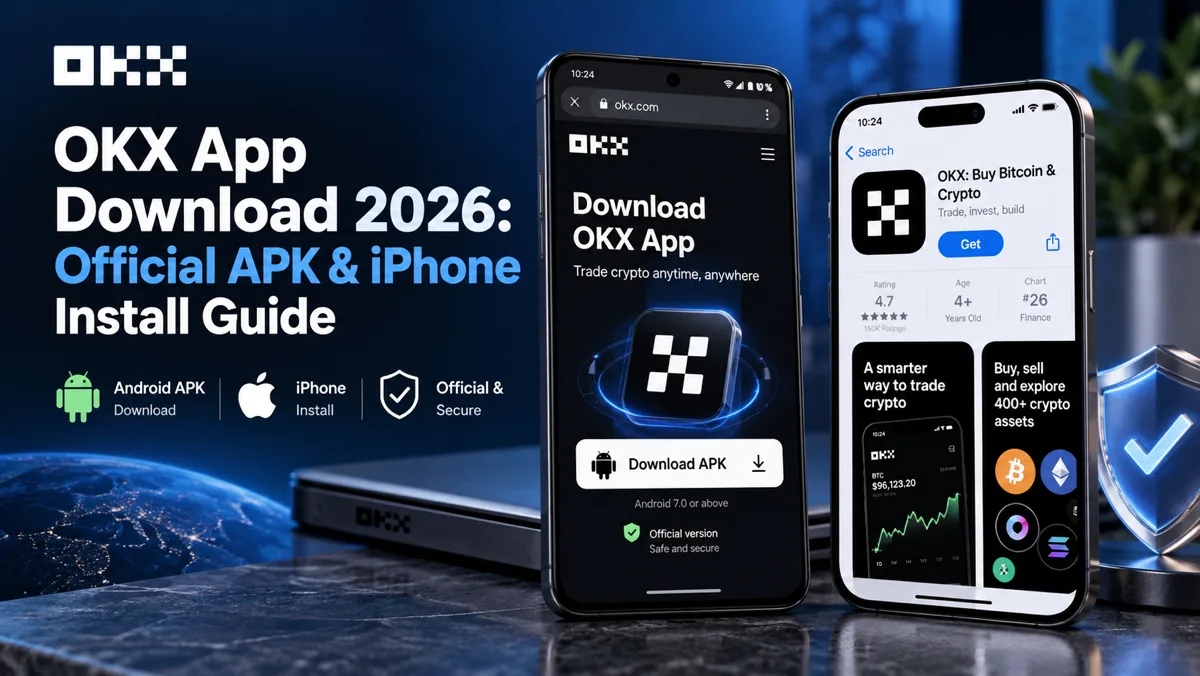
Table of contents

Binance new user rewards
20% trading fee rebate
Official Binance registration. Complete identity verification (KYC) to trade and withdraw.

OKX new user rewards
20% trading fee rebate
Official OKX registration. Complete identity verification (KYC) to trade and withdraw.
Looking to download the OKX app on Android or iPhone? The official starting point is okx.com/download.[1] Android users can download the official APK or install OKX through Google Play where available. iPhone users should use the Apple App Store in a supported region.
The installation process is usually straightforward, but Android security warnings, App Store region restrictions, and incompatible installation files can prevent OKX from installing.
Quick download guide:
- Android: Open the official OKX download page, select Android, and follow the APK installation instructions.
- iPhone: Search for OKX in the App Store, verify the developer, and tap Get.
- Google Play: Use the official OKX listing if the app is available in your region.
- Huawei HarmonyOS: Confirm your system version before installing.
- Installation failed: Identify the exact error before downloading another file.
Important: If your phone reports a virus, malware, or security threat, stop and investigate before continuing. A successful APK installation does not prove that the file is safe.
This guide covers official download links, installation steps, Android package names, iPhone availability, common errors, and how to recognize fake OKX apps.
1. OKX Official Download Links: Android and iPhone
OKX provides mobile trading applications through different distribution channels. The correct installation method depends on your operating system, device compatibility, and region.
Official OKX download page: https://www.okx.com/download
| Device | Download channel | Installation method |
|---|---|---|
| Android | OKX official website | APK download |
| Android | Google Play | Play Store installation |
| iPhone / iPad | Apple App Store | iOS installation |
| HarmonyOS 5 | OKX compatibility guide | System-specific installation |
For most users, an official app-store installation is the simplest option when available. Android users who need a direct APK should obtain it from the official OKX download channel rather than an unofficial mirror.
Availability also varies by country. Being able to install an application does not necessarily mean all OKX trading services are supported or legally available in your region.
2. How to Download OKX APK on Android
An APK (Android Package Kit) is the installation file format used by Android applications.
Android users can install OKX using the official APK when the device and operating system support that method.
You do not need to create an OKX account simply to download the installation file.
Step 1: Open the official OKX website
Open Chrome or another trusted browser on your Android phone, then enter:
Check the domain before downloading. The legitimate OKX website uses okx.com; a domain containing the letters "OKX" is not necessarily owned by OKX. For example, okx-download.example.com is not an official OKX domain.
Step 2: Select Android
Find the Android download option on the official OKX page.
OKX's Android help documentation also describes the following route:
Android → Download FAQ → Copy APK download link[2]
Copy the download link provided by the official website and paste it into your mobile browser. The website may also display a QR code that opens the official download page. The exact buttons and layout may change as OKX updates its website.
Avoid APKs distributed through unknown websites, Telegram groups, cloud storage links, or search advertisements.
Step 3: Download the installation file
Once the APK download starts, allow it to finish. Then open your browser's Downloads section, find the downloaded OKX APK, confirm the download completed successfully, and open the file to begin installation.
Android installation files normally use the .apk extension. If the downloaded file has an unfamiliar format or requests an unrelated installation helper, stop and verify the source.
Step 4: Review Android installation permissions
Android may display a message asking whether the browser or file manager can install applications. This is a normal type of source authorization, but it is not proof that the APK is safe. Different warnings require different responses:
| System message | Recommended action |
|---|---|
| Allow from this source | Verify the APK source before granting permission |
| App not installed | Check compatibility and existing installations |
| Problem parsing package | Check file integrity and Android version |
| Security threat detected | Stop and investigate the warning |
A routine installation-permission request is different from a device reporting suspected malware. Do not disable antivirus scanning, payment protection, or other system security features simply to force the installation.
Step 5: Finish installation
If the download originated from an official channel and there are no unresolved security concerns, follow the device's installation instructions.
After installing OKX, review the app details and permissions before signing in. An application that opens successfully is not automatically authentic; its installation source and security verification remain important.
3. Official OKX APK vs Google Play: What's the Difference?
Android users may notice that the official APK and Google Play versions use different package identifiers.
In CoinTrailHub's September 2026 Samsung Galaxy S25 test, the APK obtained through the official download channel used com.okex.android. The Google Play listing uses com.okinc.okex.gp.[6]
| Item | Official APK | Google Play |
|---|---|---|
| Download source | okx.com | Google Play Store |
| Package name | com.okex.android (test record) | com.okinc.okex.gp |
| Update channel | Official APK / supported in-app update | Google Play |
| Typical use | Direct Android installation | Supported Play Store devices |
Different package names do not automatically mean one version is fake. However, matching package names alone cannot guarantee authenticity either, because a malicious developer may imitate an application's identifier or appearance. Always check the official distribution channel and use trustworthy verification information.
Google Play listing: https://play.google.com/store/apps/details?id=com.okinc.okex.gp
If the official listing is unavailable in your region, check the current service restrictions rather than downloading an unknown APK.
4. How to Download OKX on iPhone
The official OKX iPhone application should be downloaded through the Apple App Store in a supported region. Android APK files cannot be installed on an iPhone.
Step 1: Open the App Store
Open the App Store on your iPhone and make sure you are signed in to the Apple Account you normally use for app downloads. The country or region associated with your account can affect whether OKX appears in search results.
Step 2: Search for OKX
Enter OKX in the App Store search bar and open the application's details page instead of relying only on its icon or search position. Review the developer and app information.
Step 3: Verify the official developer
According to OKX's iPhone installation guide updated on August 25, 2026, the official iOS developer is OKX Inc..[3] Before installing, compare the App Store developer information with OKX's current official documentation. If the details do not match, investigate before proceeding.
Step 4: Tap Get
After verifying the listing, tap Get, complete Apple authentication, allow the installation to finish, then open OKX and sign in or register if the service is supported in your location. Keep subsequent updates within the official distribution channel.
What if OKX doesn't appear in the App Store?
The most common explanation is regional availability. OKX publishes an iOS availability reference at https://www.okx.com/app-availability/ios.[4] Check whether your Apple Account region is supported.
If you need to change your account region for legitimate reasons, follow Apple's requirements and consider any applicable service restrictions. Do not install an unofficial enterprise-signed app or configuration profile offered by a third party.
For more details, see OKX iPhone Download Tutorial 2026: Install the Official OKX App (Region Change + Anti-Phishing).
5. OKX App Won't Download or Install: Common Problems
Not every OKX installation error has the same cause. A failed download may involve your browser or network; a parsing error may involve file integrity; a malware warning requires a separate security investigation.
| Problem | What to check first |
|---|---|
| Download page won't open | Official URL, browser and network |
| APK download incomplete | Storage space and download integrity |
| Parsing error | Android compatibility and file integrity |
| App not installed | Existing installations and compatibility |
| Unknown-source prompt | Source verification and permissions |
| Virus or malware warning | Stop and investigate |
| App crashes after installation | System compatibility and official updates |
The practical approach is to identify the error first, rather than repeatedly downloading different installation files.
Download page won't open
Verify the website address and check whether your browser can access other trusted websites. If necessary, try another trusted browser.
OKX's Android help documentation also identifies download@okx.com as a channel for obtaining updated download instructions.[2] Confirm that address against the current official help page before relying on it. Do not switch to unknown download mirrors because the official website is temporarily unavailable.
APK parsing error
An APK parsing error may result from an incomplete download, a damaged file, or an incompatible operating system. Check your Android version and verify the download completed successfully. If necessary, download the file again through the official channel.
App not installed
An existing application, package-signature mismatch, or device compatibility problem may prevent installation. Check whether OKX is already installed. Before uninstalling an existing application, consider whether it contains self-custody wallet data that requires backup.
Security threat detected
If Android reports a suspected virus or malware threat, stop the installation, review the warning, and verify the package source. Even an APK obtained through an apparently official route should not be assumed safe merely because it installs successfully. Do not dismiss an unresolved malware warning as a false positive.
6. OKX Installation on Huawei, Xiaomi, Honor, OPPO and HarmonyOS
Different Android manufacturers apply different application installation and security controls. OKX's Android FAQ includes device-specific instructions for Huawei, Honor, Xiaomi, OPPO, and OnePlus.[2]
Some official instructions discuss offline installation or temporary changes to manufacturer security settings. Such instructions should not be interpreted as a guarantee that every APK is safe.
| Phone / OS | Installation consideration |
|---|---|
| Huawei | System verification and security prompts |
| HarmonyOS 4 | Pure Mode and enhanced protection |
| HarmonyOS 5 | ZhuoYiTong compatibility method |
| Honor | Official offline installation guidance |
| Xiaomi | Security Guard and installation controls |
| OPPO / OnePlus | Installation permissions and device-specific guidance |
These differences explain why an APK may install on one Android phone but encounter additional prompts on another.
Huawei HarmonyOS 4 and HarmonyOS 5
Huawei users should first check their operating-system version. HarmonyOS 5 may use a different application compatibility mechanism from earlier Android-compatible HarmonyOS versions.
OKX's official HarmonyOS 5 documentation includes a method involving ZhuoYiTong.[5] Official guide: https://www.okx.com/help/5-app
Follow the instructions for your specific system version rather than applying a standard Android workaround to every Huawei phone.
Xiaomi, Honor and OPPO installation problems
Some devices apply additional restrictions to APK installation outside their application stores. First determine whether the message is a routine source-permission request or a genuine malware warning.
If the problem involves manufacturer compatibility, consult OKX's official Android FAQ. Avoid disabling protection systems when the underlying security warning remains unresolved.
7. How to Verify the Official OKX App and Avoid Fake APKs
Fake cryptocurrency applications can imitate familiar logos, trading interfaces, and login screens. An application's appearance is therefore not enough to establish authenticity.
The strongest starting point is an official distribution channel, supported by consistent app information and trustworthy package verification.
| Verification item | What to examine |
|---|---|
| Official domain | Whether the download belongs to okx.com |
| App Store developer | Current official developer information |
| Google Play listing | Official distribution page |
| APK signature | Comparison with a trusted fingerprint |
| Package name | Consistency with the distribution channel |
| Application permissions | Unexpected access requests |
No single item in this table should be used as the sole proof that an application is legitimate.
Warning signs of a fake OKX app
Be cautious if a website or application:
- Requests your wallet seed phrase or private key.
- Claims you must install a special APK to unlock frozen assets.
- Redirects you to an unrelated website.
- Requires a deposit before completing installation.
- Asks you to disable security protection without explaining the warning.
- Distributes installation files through unknown cloud drives or messaging groups.
If you cannot verify the source, do not enter account credentials, recovery phrases, or verification codes.
What if you've already installed a suspicious app?
If you have not logged in, stop using the suspicious application and verify the official channel from a trusted device.
If you entered your account password or verification code, change your password through the genuine OKX website, review active sessions, and check your two-factor authentication.
If you disclosed a wallet seed phrase or private key, treat the wallet as compromised. Uninstalling the application cannot make an exposed private key secret again; follow appropriate wallet recovery and secure asset migration procedures.
8. Samsung Galaxy S25 OKX Installation Test
On September 13, 2026, CoinTrailHub performed an OKX APK installation test using a Samsung Galaxy S25. The test documented a significant issue: the device displayed a security threat warning during installation.
| Test item | Recorded result |
|---|---|
| Test device | Samsung Galaxy S25 |
| Test date | September 13, 2026 |
| Download source | OKX official download page |
| App version | 6.188.0 |
| System warning | Security threat detected |
| Installation result | Installation completed |
| Signature verification | Not independently completed |
The test demonstrates that an application obtained through the official download route can still trigger a device security warning. It does not establish that the warning was incorrect or that the APK passed an independent security audit. The installation record also did not include a completed comparison against a trusted official signing-certificate fingerprint.
Version 6.188.0 was the version recorded during the September 2026 test; it should not be described as the latest OKX release.
What users can learn from this test
A successful installation and an independently verified safe application are not the same thing. When a device reports a security threat, the appropriate response is to investigate the warning and establish confidence in the installation file before using it for financial transactions.
9. How to Update OKX Without Losing Wallet Access
If OKX is already installed, you generally do not need to uninstall it simply to obtain a normal application update. Use the original trusted distribution channel or an official in-app update mechanism where supported.
Before uninstalling the application, check whether you use OKX's Web3 Wallet or another self-custody wallet feature. Confirm that your wallet recovery information is securely backed up and accessible.
Never provide your seed phrase, private key, or recovery credentials to someone offering installation or update assistance. If an update fails, investigate compatibility or distribution-channel issues before attempting a fresh installation.
10. OKX Download FAQ
What is the official OKX download website?
The official download page is https://www.okx.com/download. Android users can find the official APK download channel there; iPhone users should install the application through the App Store in a supported region.
Is OKX available on Google Play?
OKX has an official Google Play listing, but availability may vary by country or region. The listed package identifier is com.okinc.okex.gp.
Can I install an OKX APK on my iPhone?
No. APK files are designed for Android; iPhone users should use the Apple App Store.
Why does the OKX APK have a different package name from Google Play?
Different official distribution channels may use different package identifiers. A package-name difference is not, by itself, proof of a counterfeit app; check the distribution source and available security verification information.
Can I install OKX on HarmonyOS 5?
OKX provides a dedicated HarmonyOS 5 installation guide that includes ZhuoYiTong for certain configurations. Check your operating-system version and the applicable official instructions before proceeding.
Final Checklist Before Installing OKX
Before signing in or transferring assets, verify that the application came from an official source, matches your operating system, and does not present unresolved security concerns.
Bottom line: Android users should start with OKX's official download page or supported Google Play listing; iPhone users should use the Apple App Store. When an installation fails, troubleshoot the exact error rather than bypassing device security checks.
Related Guides
- OKX Desktop Download: Windows & Mac Client Installation Guide (2026) — if you need the desktop (Windows/Mac) version
- OKX iPhone Download Tutorial 2026: Install the Official OKX App (Region Change + Anti-Phishing) — the full region-change and anti-phishing steps for iPhone
- How to Register for OKX — the first step after installing, from registration and basic security setup
- How to Set Up Google 2FA: Binance/OKX Binding Steps (2026) — two-factor authentication and account security
- OKX Review 2026: Is It Worth It? Pros, Cons, Fees and Binance Comparison — read before deciding whether to use OKX
- Binance vs OKX: Which Is Better for Beginners? A 5-Dimension Comparison — the main differences between the two
Official Sources
1. OKX Official Download Page — https://www.okx.com/download — official mobile and desktop download channels.
2. OKX Android Download Guide and FAQ — https://www.okx.com/help/faq-about-downloading-app-for-android — official Android APK instructions, the download@okx.com email channel, and manufacturer-specific installation guidance.
3. OKX iPhone Download Guide — https://www.okx.com/help/how-to-download-okx-app-on-iphone — App Store installation, developer verification (OKX Inc.), and Apple Account region requirements.
4. OKX iOS App Availability — https://www.okx.com/app-availability/ios — official reference for supported App Store regions.
5. OKX HarmonyOS Installation Guide — https://www.okx.com/help/5-app — HarmonyOS compatibility information and installation instructions.
6. Google Play — OKX — https://play.google.com/store/apps/details?id=com.okinc.okex.gp — official Google Play listing and Android package identifier.
Data Verification Notes
Key facts in this article were verified against official OKX documentation on 2026-11-01, item by item:
- Official download page:The official OKX download page is
okx.com/download, which provides Android APK, Google Play, App Store and desktop download channels. Source: OKX official app download page. - Android install steps and device notes:OKX's Android download FAQ documents the "Download FAQ → Copy APK download link" route, the
download@okx.comemail channel, and device-specific guidance for Huawei, HarmonyOS 4.0 (Pure Mode "Enhanced protection"), Honor (offline install), Xiaomi (Security Guard / fraud protection) and OPPO/OnePlus (Airplane mode). Source: OKX Android app download guide and FAQ. - iOS developer:OKX's iPhone installation guide updated on 2026-08-25 shows the official iOS developer as OKX Inc.; the iPhone app installs via the Apple App Store. Source: OKX how to download the OKX app on iPhone (iOS).
- App Store availability region:Whether the App Store shows OKX depends on the signed-in Apple Account's country or region; check against OKX's published iOS availability list. Source: OKX countries and regions where the OKX app is available.
- HarmonyOS install path:OKX's HarmonyOS 5 help page includes installing through "ZhuoYiTong", a path separate from the standard Android APK guide. Source: OKX HarmonyOS install guide.
- Package name difference:The official APK and the Google Play version use different package names (
com.okex.androidrecorded in our test vscom.okinc.okex.gpon Google Play); a package-name mismatch alone does not prove an app is fake. Source: OKX app on Google Play.
The recorded Samsung installation result does not constitute a current security certification or independent APK audit. Download availability, developer information, supported operating systems, installation procedures, and features may vary by region and change over time.
Disclaimer
This guide is for educational and technical reference only. It is not financial, investment, or legal advice.
CoinTrailHub does not distribute third-party APK files, provide unofficial installation mirrors, or recommend bypassing unresolved malware warnings. Users should comply with applicable local laws and platform terms.
- OKX official app download pageOfficial download channels for the OKX app.
- OKX Android app download guide and FAQOfficial APK download, QR-code download, the download@okx.com email channel, and brand-specific Android install notes.
- OKX how to download the OKX app on iPhone (iOS)App Store install, Apple ID region and the official iOS developer name (OKX Inc.).
- OKX countries and regions where the OKX app is availableiOS app availability by region; the list may change.
- OKX HarmonyOS install guideHarmonyOS 5 install and compatibility notes, including the ZhuoYiTong path.
- OKX app on Google PlayGoogle Play distribution channel for the OKX app with package name com.okinc.okex.gp.
- 2026-11-01UpdateReorganized the article around primary download intent (Android APK, iPhone install, troubleshooting, verification, and device compatibility) with machine-readable comparison tables; restored the evidence superscripts and item-by-item footnotes.
- 2026-10-16UpdateAdded evidence superscripts and Data Verification Notes; updated the key fact verification date.
- 2026-09-13UpdatePublished the original version; documented installing OKX v6.188.0 on a Samsung S25.
- 2026-09-14CorrectionAdjusted install security notes to distinguish unknown-source authorization from security threat warnings.
- 2026-10-08UpdateOptimized the title; moved Android download steps to the front; reorganized download failure, domestic Android compatibility, App Store, and fake-app identification content; streamlined the FAQ to 9 items. This revision was a text edit and official source check, not a reinstall or APK signature test.
- 2026-10-15UpdateRemoved OKX UI screenshots and the brand cover image following a copyright complaint; reordered sections; changed the opening to a needs-based navigator; added the official APK vs Google Play package name difference and the HarmonyOS 5 ZhuoYiTong routing note.
See ourEditorial Policy and the correction process in ourCorrections Policy.
The CoinTrailHub editorial team focuses on crypto education for beginners, exchange security and P2P trading risk. This article is compiled from official sources and public data, reviewed by humans, and strives for accuracy but is not investment advice.
Last updated:2026-11-01 · Content reviewed by humans · Learn more
© 2026 CoinTrailHub · Original content. Reproduction or rewriting without permission is prohibited.