
Binance Stock Recurring Buy: how to set it up, when it executes and what it costs
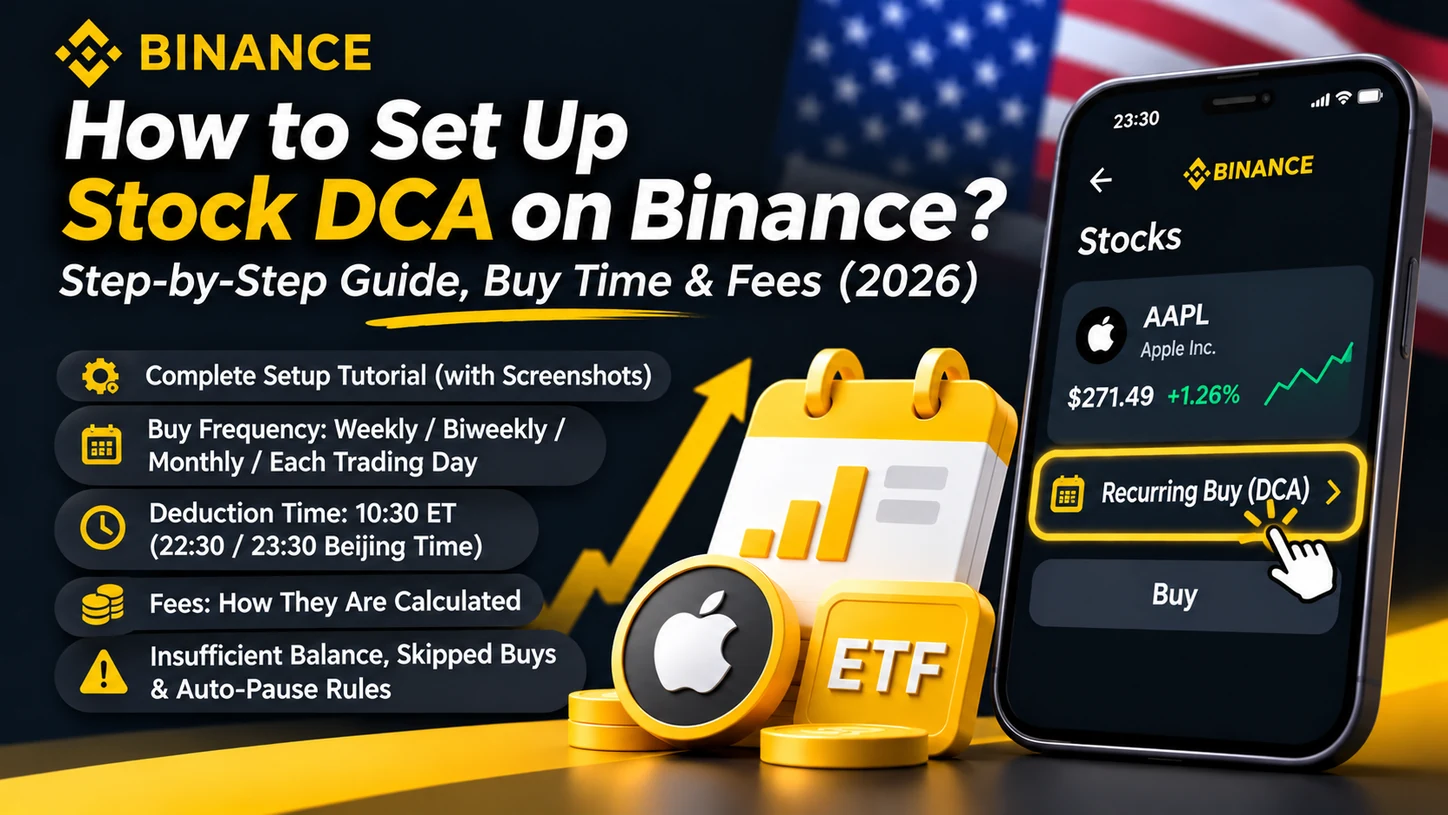
Table of contents

Binance new user rewards
20% trading fee rebate
Official Binance registration. Complete identity verification (KYC) to trade and withdraw.
Binance Stock Recurring Buy lets you schedule automatic purchases of US stocks and ETFs. Open the Binance app, go to Trade → Stocks, find a supported ticker, tap Recurring Buy, then set the frequency, the amount per cycle and the funding source.[1]
You can choose weekly, every two weeks, monthly or every trading day. The plan is funded only in USDC, and orders execute at about 10:30 ET — 15:30 UTC during US winter time, 14:30 UTC in summer.[1]
Setting it up takes minutes. Three rules are what actually decide whether it keeps running:
- A cycle is skipped when the balance is short. The missed amount does not roll into the next cycle.
- 100 consecutive unfunded cycles auto-pause the plan. It does not resume by itself.
- Recurring Buy is not fee-free. The smaller the ticket, the more a fixed platform fee eats into it.
This piece walks through setup, execution time, fees, and what happens when a cycle or a single ticker fails.
About 14 minutes. New to Binance stocks? Read How to Buy US Stocks on Binance first for KYC and eligibility. If you can already trade, start at step 3.
1. The rules in 30 seconds
| What you want to know | 2026 rule |
|---|---|
| Frequencies | Weekly, bi-weekly, monthly, every trading day |
| Execution | Around 10:30 ET, processing delays possible |
| UTC | 15:30 UTC in winter, 14:30 UTC in summer |
| Funding currency | USDC only |
| Funding source | Chosen when you create the plan |
| Tickers per plan | Up to 10 |
| Plans per account | 20, including paused plans |
| Short balance | Cycle skipped, no catch-up |
| Repeated failures | 100 consecutive unfunded cycles auto-pause the plan |
| Fees | Same as a regular stock order |
| Management | Edit, pause, resume, one-time top-up |
All of the above comes from Binance's official Stock Recurring Buy FAQ.[1]
The sentence worth remembering:
Recurring Buy automates the order, not the funding.
A plan that says "300 USDC per month" only means the system will try to take 300 USDC from your chosen funding source on the execution day. If the USDC is not there, or the ticker cannot trade that day, nothing is bought.
2. How it differs from a manual order
| Method | Trigger | Best for |
|---|---|---|
| Manual buy | You place the order | Controlling price and timing |
| Recurring Buy | System, on schedule | Building a position gradually |
| One-time top-up inside a plan | You, one extra purchase | Adding to an existing plan |
The third one is easy to miss. It sits inside an existing plan and lets you buy once more right away, using that plan's tickers and allocation. It only works during US regular trading hours.[1]
Does averaging in lower your cost?
Not by itself.
Say you plan to invest 3,000 USDC: either all at once today, or 500 USDC a month for six months.
If the stock keeps rising, buying once may give you a lower average cost. If it keeps falling, staggering the buys avoids putting everything in at one high price — but whatever you already bought still loses value.
Recurring Buy changes when you buy and whether you actually execute, not the risk of the asset.
A schedule makes buying consistent. It does not make a bad pick good.
3. Setup in six steps
App flow shown; the web version follows the same logic, and labels vary slightly by version.
- Open Trade → Stocks and search for the ticker (AAPL, NVDA, SPY, QQQ and so on). These are examples, not recommendations — availability depends on your account.
- Tap Recurring Buy on the ticker page. If the button is missing, the ticker may not be supported, your account may lack the eligibility, or the app may be outdated.
- Pick a frequency — weekly, bi-weekly, monthly or every trading day. "Every trading day" is not every day: US markets are closed on weekends and US public holidays.
- Choose one or several tickers and set the amount per cycle. With multiple tickers, the amount is split by the allocation ratio you set. One plan holds up to 10.[1]
- Set the funding source and check the estimated fee on the preview screen before confirming.
- Manage it later with Edit (frequency, day, tickers, amount, funding source) or the "…" menu (one-time buy, rename, pause, resume).[1]
Two date quirks worth knowing before you pick "monthly":
- If the month has no such day — say you chose the 30th or 31st — the plan runs on the last day of the month, and defers if that is not a trading day.[1]
- A plan date that lands on a weekend or US holiday moves forward to the next eligible trading day. It never runs early.
Version note: the September 17 announcement lists iOS 3.20.4 and Android 3.20.2 as the minimum builds.[3]
4. Choosing a frequency
| Frequency | Cadence | Main trade-off |
|---|---|---|
| Weekly | Once a week | Roughly 52 cycles a year; costs add up |
| Bi-weekly | Every two weeks | Fits fortnightly pay cycles |
| Monthly | Once a month | Larger single tickets |
| Every trading day | Each eligible session | Most cycles, so fixed fees dominate small tickets |
Same 400 USD, split four ways
Assume one ticker, current promotional rates, and each leg billed separately:
- Plan A: one 400 USD order → 0.05% spread ≈ 0.20 USD.
- Plan B: four 100 USD orders → four platform fees of 0.17 USD = 0.68 USD.
This is arithmetic on published rates, not a quote for your account. But the pattern holds: splitting a small monthly budget into many legs can cost more than it saves.[4]
5. When the order executes
Binance states the reference execution time as 10:30 ET and notes that actual execution may shift with order processing.[1]
| US clock | Time | UTC |
|---|---|---|
| Winter (EST, UTC−5) | 10:30 ET | 15:30 UTC |
| Summer (EDT, UTC−4) | 10:30 ET | 14:30 UTC |
US daylight saving runs from the second Sunday of March to the first Sunday of November. In 2026 it ended on November 1, so the winter offset applies now.
One honest oddity: the help center describes execution as "about 1.5 hours after the regular session open" and as 10:30 ET. From 9:30 to 10:30 is one hour, so the two statements do not quite line up. This article uses the explicit 10:30 ET figure and treats it as a reference point, not a guarantee — 15:30 UTC is not a to-the-second fill time.
Practical consequence: fund the plan the day before, not ten minutes before.
6. What happens when a cycle fails
This is the part that decides whether a plan survives.
Short balance → the cycle is skipped. If the funding source cannot cover the amount, that cycle does not execute, and the money is not set aside for the next one.[1]
No catch-up. Skipping a month does not double the next one. A 300 USDC plan that misses February does not buy 600 USDC in March.
100 consecutive unfunded cycles → auto-pause. Binance states the plan pauses automatically after 100 consecutive cycles with no purchase due to insufficient balance, and the user is notified.[1]
Read that carefully. It counts consecutive plan cycles with no purchase for lack of funds — not 100 calendar days, and not scattered single-ticker rejections. On a daily plan, 100 cycles is a few months. On a monthly plan, it is years.
A single ticker can fail without failing the plan. If one ticker in a multi-ticker plan is halted, restricted, delisted, no longer supported, allocated below the minimum order size, or too illiquid, only that ticker is skipped. The others still execute. The skipped ticker is not retried and not deferred, and its reserved funds stay in your funding account.[1]
Which is why a multi-ticker plan needs a periodic look at actual fills, not just the target allocation.
Do not mix this up with Convert Recurring
Binance runs a separate recurring product inside Convert (crypto and bStocks). Its failure rules are different, and they show up in search results next to stock plans:
- Convert Recurring retries on the next cycle after a failed purchase.
- It is cancelled after six months of continuous failed executions, not paused after 100 cycles.
- Its execution minute matches the minute the plan was created, not a fixed market time.[7]
If you are troubleshooting a Binance "recurring buy" and the rules do not match what you see, check which product the plan actually belongs to.
7. Fees
Recurring Buy uses the same fee schedule as a regular stock order, and the estimated fee is shown on the plan preview.[1]
As of 2026-11-19, the promotional fee period runs to 2026-12-31 23:59 UTC.[4]
| Order value | Standard | Promotional |
|---|---|---|
| Under 340 USD | 0.35 USD platform fee | 0.17 USD |
| 340 USD and above | 0.10% spread | 0.05% spread |
The announcement and the live fee page describe the 340 USD boundary slightly differently, so an order of exactly 340 USD is best checked in the order preview.[5]
Why small tickets hurt
At the 0.17 USD promotional platform fee:
| Ticket size | Fee | Share of order |
|---|---|---|
| 5 USD | 0.17 USD | 3.40% |
| 20 USD | 0.17 USD | 0.85% |
| 50 USD | 0.17 USD | 0.34% |
| 100 USD | 0.17 USD | 0.17% |
This is the fixed fee against the order value only — not spread, tax or holding costs.
Two tickers, one plan, two orders
A 300 USDC monthly plan split 60/40 into SPY and QQQ may execute as two separate orders. If both carry the 0.17 USD platform fee, the cycle costs about 0.34 USD.
That is an illustration of two independent legs, not a promise about how Binance bills multi-ticker plans. Check the preview screen when you build the plan. One plan does not mean one fee.
Costs outside the platform
Holding US stocks or ETFs can also involve dividend withholding, ADR fees where applicable, FX and price movement, and settlement limits after you sell.
8. A 300 USDC monthly example
| Field | Example |
|---|---|
| Frequency | Monthly |
| Amount per cycle | 300 USDC |
| SPY | 60% |
| QQQ | 40% |
| Funding | USDC |
| Horizon | 12 cycles |
All twelve cycles fill
300 × 12 = 3,600 USDC of planned purchases.
That is not "3,600 USD in your account in a year", and it is not a return. Position value moves with the market, and fees come out along the way.
Two cycles are short on funds
Ten filled cycles: 300 × 10 = 3,000 USDC. The missing 600 USDC is not made up later.
One ticker halts for a cycle
The other ticker still buys, so the actual allocation drifts from the target. Check the fill history rather than assuming the plan bought what you configured.
Check monthly
Plan still active → last cycle filled → next cycle funded → allocation still close to target → fee rate unchanged.
9. Who it suits
| Your situation | Better fit |
|---|---|
| Want regular, staged exposure | Recurring Buy is reasonable |
| Have a stable monthly budget | Monthly frequency |
| Tickets of a few dollars | Do the fee math first |
| Want a specific entry price | Manual limit order |
| USDC is used for other things | Fix the funding setup first |
| Trading short-term moves | Recurring Buy is not built for this |
| Holding USDT only | Convert to USDC beforehand |
| No stock trading eligibility | Do not work around the restriction |
A schedule does not remove risk. Broad ETFs diversify company risk, not market risk, and leveraged or inverse ETFs are designed for something very different from long-term accumulation.
Stocks vs bStocks recurring
They are different products.
Stock Recurring Buy buys actual US shares and ETFs inside the Stocks product. bStocks are tokenized securities issued by BTech Holdings under an ADGM prospectus; holders get an interest in underlying securities, not registered share ownership.[6]
bStocks recurring runs through Convert, trades 24/7 in small amounts, and answers a different question. The comparison is in Tokenized vs traditional US stocks.
10. Three mistakes
Set it and forget the balance. A plan can look active and still have missed several cycles because the USDC was spent elsewhere. Check the funding the day before and the fills once a month.
Split the budget into ever-smaller tickets. More legs means more fixed fees. Size the cycle against the fee, not against the calendar.
Add money because the price fell. A lower price is not automatically a better asset. If the thesis has changed, the answer is to reconsider the position, not to double the monthly amount.
11. FAQ
How much do I need to start a Stock Recurring Buy plan?
The official FAQ does not publish a single minimum for all plans. The stock trading announcement mentions a 5 USD minimum investment for stock orders, but that does not automatically define the recurring minimum per ticker.[4] If an allocation falls below the minimum order size, that ticker is skipped. Use the minimum the plan screen accepts.
Can I fund it with USDT?
No. Stock Recurring Buy deducts USDC only and does not convert other assets for you.
What time do the orders execute?
Around 10:30 ET — 15:30 UTC in US winter time, 14:30 UTC in summer. Actual execution can be delayed by order processing.
Does it run on weekends or US holidays?
No. Non-trading dates roll forward to the next eligible trading day; they never run early.
Can I change the date or amount?
Yes — Edit covers frequency, day, tickers, amount and funding source.[1]
Is a missed cycle made up later?
No. Skipped cycles are not accumulated or doubled. Top up manually if you want to compensate.
How many failed cycles before it pauses?
100 consecutive cycles with no purchase due to insufficient balance. That pauses the plan; it does not cancel it, and it does not resume on its own.[1]
Can I pause or resume a plan?
Yes, from the "…" menu. A paused plan still occupies one of the 20 plan slots.
How many tickers are supported?
100 stocks and ETFs at launch on 2026-09-10, with about 200 more added on 2026-09-17.[2][3] The list changes, so search the ticker and look for the Recurring Buy button.
Is it available in my country?
Eligibility depends on jurisdiction and account status, not on whether you can log in. Binance states that products may not be available in your region, and trying to work around it with false details breaches the platform's terms.[2]
Can I sell shares bought through a plan?
Yes, through the normal stock order flow. Selling and being able to withdraw are different steps: proceeds settle in USDC in your funding account first.
Related reading
- How to Buy US Stocks on Binance: Steps, Fees & Dividends
- Binance Stocks vs a Broker: Which Fits You
- Binance Stocks vs Stock Perpetuals: What You Actually Own
- Tokenized vs Traditional US Stocks
- Buying TSLA on Binance: A Worked Example
- Five Routes to US Stocks for Non-US Investors
Data verification notes
Verified on 2026-11-19 against public Binance sources; no personal account testing is represented here.
- Mechanics — Entry is Trade → Stocks → ticker → Recurring Buy. Frequencies: weekly, bi-weekly, monthly, every trading day. Reference execution 10:30 ET, subject to processing. USDC only. Up to 10 tickers per plan and 20 plans per account including paused ones. Insufficient balance skips the cycle without freezing funds; 100 consecutive unfunded cycles auto-pause with notification. A single ticker can be rejected for halts, trading restrictions, delisting, no longer being supported, allocation below minimum order size or insufficient liquidity; it is not retried or deferred and its reserved funds remain in the funding account. Edit covers frequency, day, tickers, amount and funding source; the "…" menu covers one-time buy, rename, pause and resume. Source: Binance Help Center, What is Binance Stock Recurring Buy?
- Launch — Recurring Buy went live on 2026-09-10 with 100 stocks and ETFs, for eligible users, with availability varying by jurisdiction. Source: Binance announcement, 2026-09-10.
- Expansion and app versions — About 200 instruments were added on 2026-09-17; minimum builds are iOS 3.20.4 and Android 3.20.2. The two announcements together imply roughly 300 instruments; later changes are reflected in the app. Source: Binance announcement, 2026-09-17.
- Fees and promotion — The promotional period runs from 2026-06-03 12:00 to 2026-12-31 23:59 UTC. Orders under 340 USD pay a 0.35 USD platform fee (0.17 USD promotional); orders at 340 USD and above pay a 0.10% spread (0.05% promotional). The same announcement states a minimum investment of 5 USD. The 400 USD split example above uses these rates: 400 × 0.05% ≈ 0.20 USD, and four legs at 0.17 USD = 0.68 USD. Source: Binance fee announcement.
- Fee page caveat — Where the announcement and the live fee page differ, the applicable rules and the order preview govern; an order of exactly 340 USD should be checked in the preview. Source: Binance Stocks fee page.
- bStocks — Issued by BTech Holdings Limited, a Binance group affiliate, under an approved prospectus in ADGM, and not offered in other jurisdictions; they represent an interest in underlying securities rather than direct ownership of shares. Source: Binance announcement on bStock recurring transactions, 2026-09-08.
- Convert Recurring contrast — A failed Convert Recurring purchase is retried on the next cycle; a plan is cancelled after six months of continuous failed executions; the execution minute matches the plan creation minute. These rules apply to Convert Recurring, not to Stock Recurring Buy. Source: Binance FAQ, Convert Recurring.
The help center describes execution both as about 1.5 hours after the regular open and as 10:30 ET; from 9:30 to 10:30 is one hour, so the two statements do not align exactly. This article uses the explicit 10:30 ET reference and keeps the caveat that actual execution may be delayed. Fee figures reflect the promotional period still in force on 2026-11-19. The 300 USDC plan, the SPY/QQQ split and all fee arithmetic are teaching examples, not real account results.
Disclaimer
This article explains how Binance Stock Recurring Buy works, what it costs and where it can fail. It is not investment, legal or tax advice.
US stocks and ETFs can lose value. A recurring schedule does not guarantee a profit and does not remove market, liquidity or platform risk. Product availability varies by jurisdiction, so confirm your own eligibility and local rules before using it.
- Binance Help Center — What is Binance Stock Recurring Buy?Setup path, four frequencies, USDC-only funding, 10:30 ET execution, 10 stocks per plan, 20 plans total, skipped cycles, 100-cycle auto-pause, single-stock rejection and plan management
- Binance announcement — Stock Trading Introduces Recurring Buy (2026-09-10)Launched 2026-09-10 with 100 stocks and ETFs; eligibility depends on jurisdiction and account
- Binance announcement — New Stocks on Binance Stock Recurring Buy (2026-09-17)Added about 200 more instruments; requires iOS 3.20.4 and Android 3.20.2 or later
- Binance announcement — Further extension of the limited-time lowered fee$0.35 to $0.17 platform fee under $340 and 0.10% to 0.05% spread at $340 and above, valid to 2026-12-31 23:59 UTC; minimum investment of $5
- Binance Stocks fee pageFee structure for stock orders; where the page differs from the announcement, the order preview governs
- Binance announcement — Recurring transactions for bStocks on ConvertbStocks are issued by BTech Holdings under an ADGM prospectus and represent an interest in underlying securities, not direct share ownership
- Binance FAQ — Convert RecurringConvert Recurring retries the next cycle and cancels a plan after six months of continuous failures; execution minute matches plan creation minute
- 2026-11-19UpdateNew article. Built from the official FAQ, the September launch and expansion announcements, and the fee announcement; separates Stock Recurring Buy from Convert Recurring, which runs on different failure rules.
See ourEditorial Policy and the correction process in ourCorrections Policy.
The CoinTrailHub editorial team focuses on crypto education for beginners, exchange security and P2P trading risk. This article is compiled from official sources and public data, reviewed by humans, and strives for accuracy but is not investment advice.
Last updated:2026-11-19 · Content reviewed by humans · Learn more
© 2026 CoinTrailHub · Original content. Reproduction or rewriting without permission is prohibited.